2. Check whether the machine is connected to a suitable water sup‐
ply (at least 4 bar).
(Water connection P. 4 — 17)
3. Check whether the required power supply is available.
(Electrical
connection P. 4 — 18)
For the test run, you must first switch on the main switch and then
the pump.
5.3.2 Checking the direction of rotation of the motor
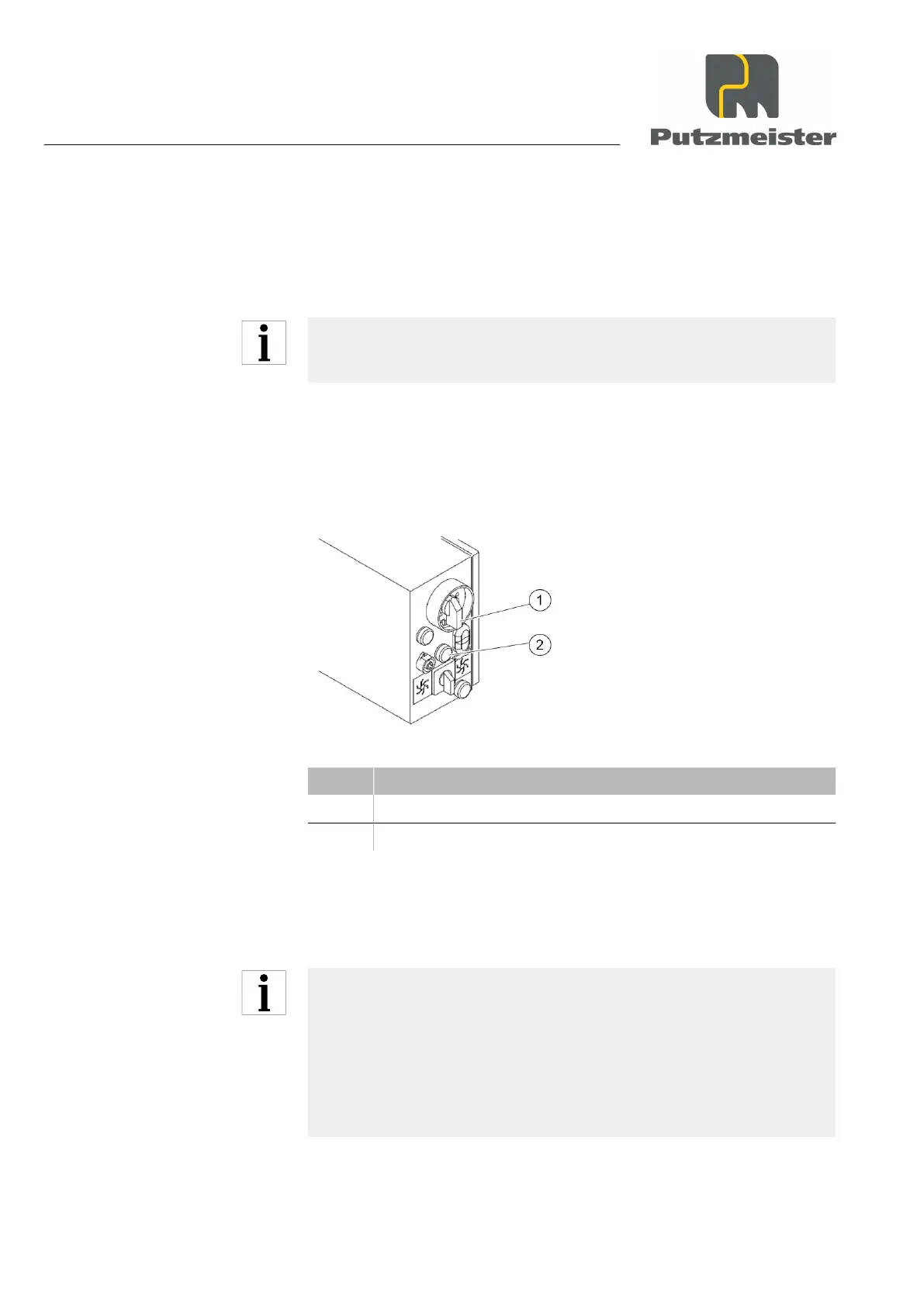
Check whether the electrical motor's direction of rotation is correct by
proceeding as follows:
Item Designation
1 “Power supply ON – OFF” main switch
2 “Reverse pump” illuminated push-button
▶
Switch the machine on at the main switch.
➙
The machine performs an automatic rotating field test.
A lamp test is carried out first after actuating the main switch. If the
“Reverse pump” illuminated push-button lights up briefly, this indi‐
cates that the direction of rotation is correct.
If the direction of rotation is incorrect, the indicator lamp in the illu‐
minated push-button will stay lit. The direction of rotation of the
motor must be changed.
Starting up
5 — 8


 To Next Page