5.3.3 Changing the direction of rotation
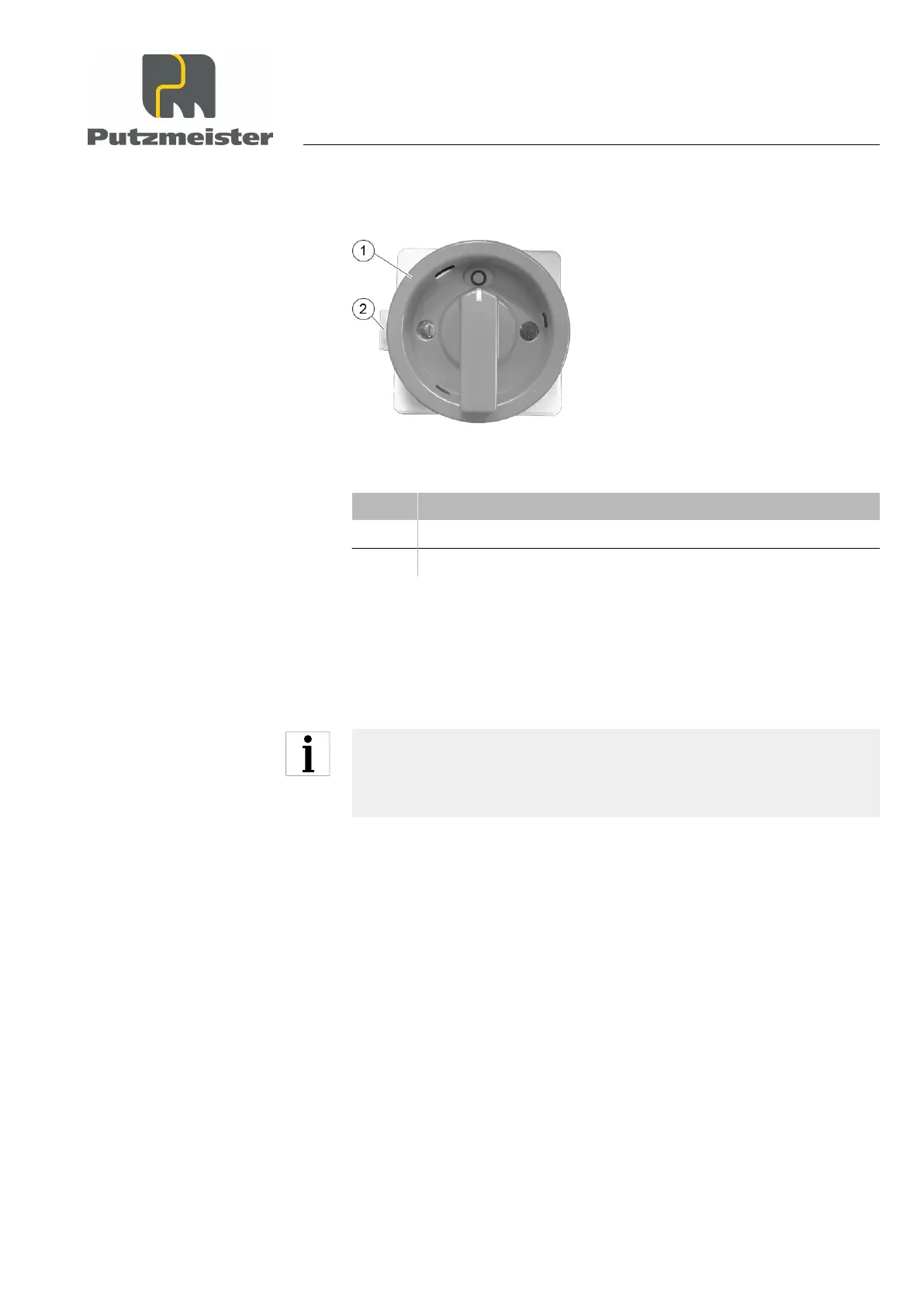
Figure 26: Changing the direction of rotation
Item Designation
1 Main switch
2 Slide for changing the direction of rotation
1. Switch off the main switch (position “0”).
2. Move the slide for changing the direction of rotation.
⇒
The “I” symbol automatically changes to the other direction of
rotation.
Never change the direction of rotation while the main switch is in
the “I” position. The rotating-field mechanism is locked – actuating
by force will damage the switch mechanism.
3. Switch the machine on at the main switch.
4. Check whether the direction of rotation is correct again, as descri‐
bed above.
Starting up
5 — 9


 To Next Page