3. If the system asks for a PIN code, enter the code using the keypad and press [OK].
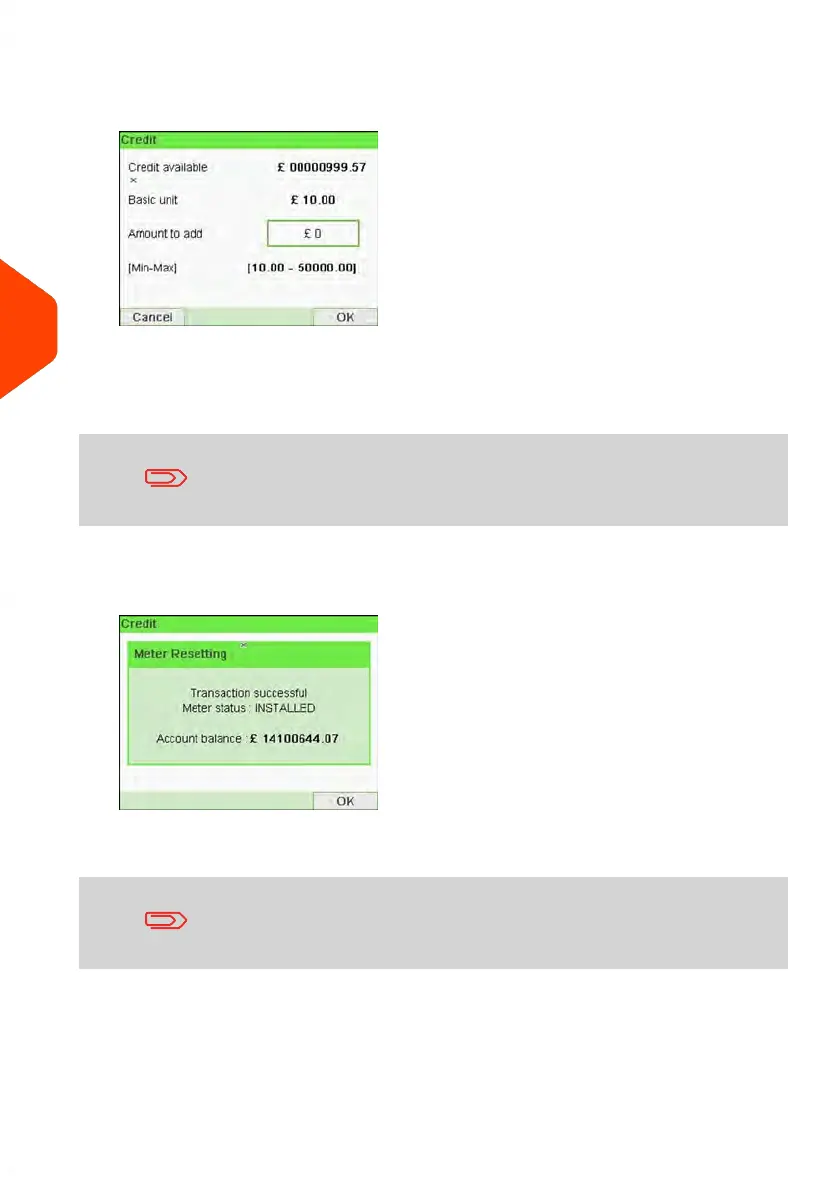
The Credit Screen is displayed.
By default, the system displays the value of the previous transaction.
4. Enter the amount of postage to add using the keypad (use C to clear a digit, press
C twice to clear the field).
The amount must be in the range of Minimum reset amount and
Maximum reset amount.
5. Press [OK] to start the connection to the Postal Server.
If the crediting process is successful, the system displays a successful message.
If crediting fails, the system displays a failure message and the amount that you
may actually add, depending on your postal account balance.
In the case of a communication error, the amount previously
entered cannot be changed. Check connection settings (see
Connection Settings on page 245).
6. You can open the Credit information screen to check your account balance once
the transaction is complete (see How to Check the PSD (Meter) Credit on page
108).
110
| Page 110 | Jun-21-2021 12:11 |
5
Money Operations



 To Next Page