How to Log in as Supervisor
You need to be logged in as supervisor to configure the Mailing System and perform
functions such as managing accounts and access rights, generating certain reports,
etc.
When you are logged in as supervisor, only the supervisor menu
is available. Printing postage is not possible while logged-in as
supervisor.
To log in as Supervisor when you are already logged in as a user:
1. As a user:
Press and select the path: Supervisor
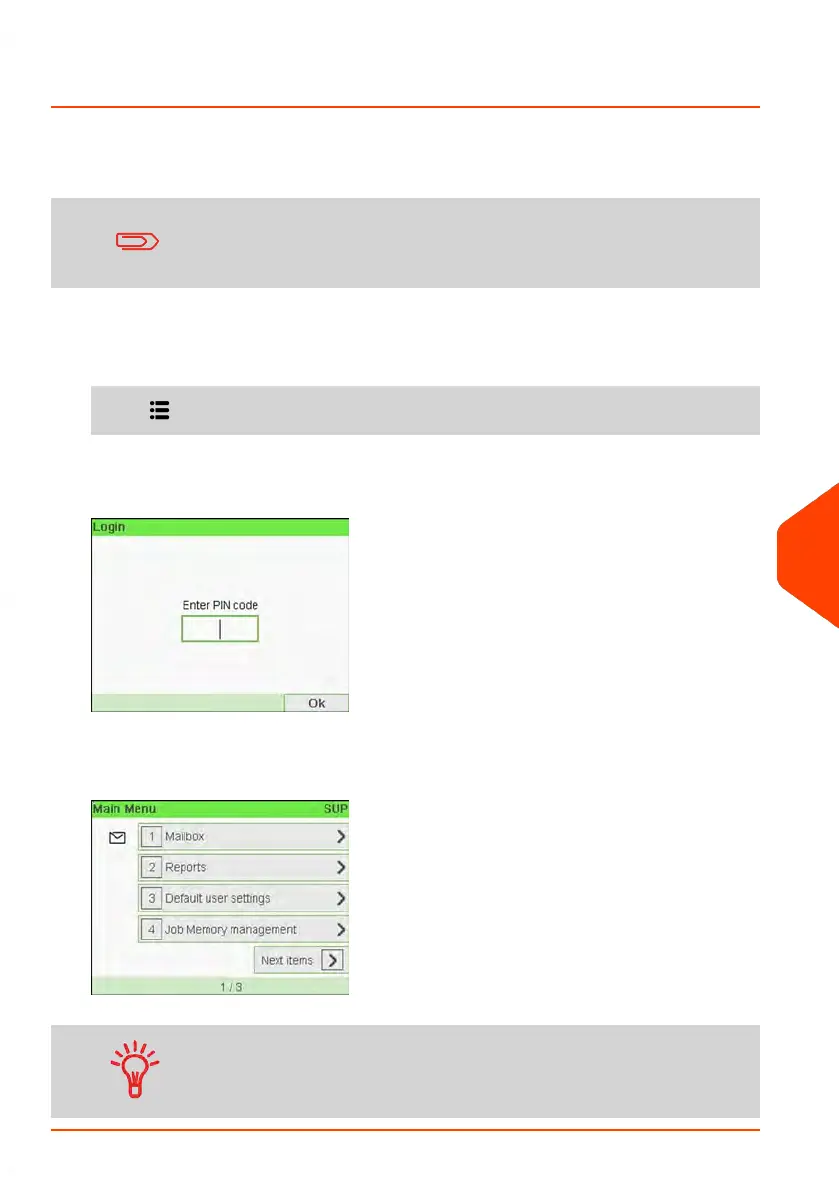
The Login screen is displayed.
2. Type the supervisor PIN code and press [OK].
The supervisor Main menu is displayed.
You can log in as supervisor by directly typing the supervisor
PIN code, in place of a regular user PIN code, on Mailing Systems
that ask for a PIN code at start-up.
10
Configuring your Mailing System
207
| Page 207 | Jun-21-2021 12:11 |



 To Next Page