How to Create an Account
To create an account, you have to activate the mode “Account”. See How to Display
and Change the 'Account Mode' on page 138.
1. As supervisor (see How to Log in as Supervisor on page 207):
From the main menu, select the path: Account management Manage account
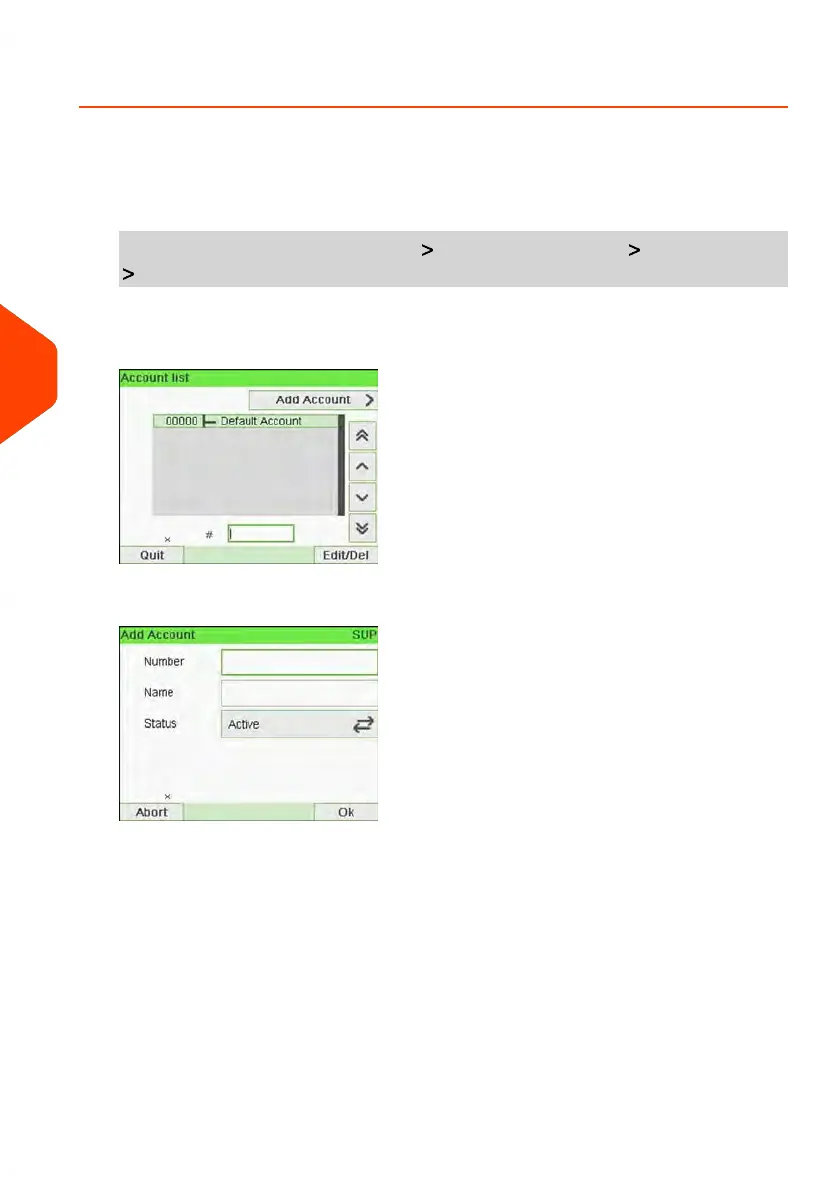
Account list
The Account list screen is displayed.
2. Select Add Account.
3. Enter the account Number and Name using the keypad. Select the Account Status
(the button displays the current status: Active or Inactive).
136
| Page 136 | Jun-21-2021 12:11 |
6
Accounts and Access Control



 To Next Page