How to Download New Postal Rates
To download new rates:
1. As supervisor (see How to Log in as Supervisor on page 207):
From the main menu, select the path: Options and Updates Rate
management
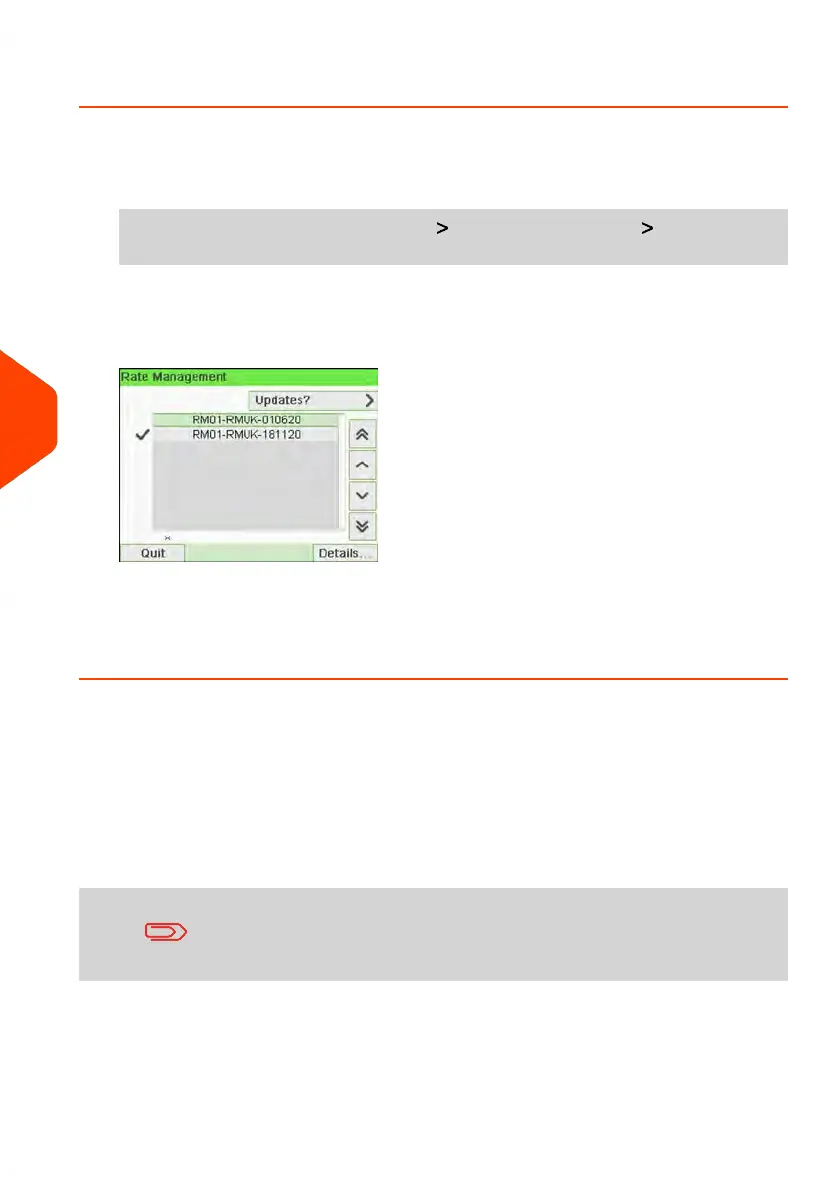
The list of rate tables is displayed in the Rate management screen. The tables are
identified by the effective date of the rate.
2. Select Updates?.
The mailing system connects to the Online Services server and downloads available
rates.
Rate Protection
Rate Protection ensures that the latest postal rates are installed on your Mailing System.
When the Postal Service announce changes in their rate and fee schedule, the Online
Services server downloads the new rates into your Mailing System.
Your Mailing System automatically switches to the approved rates on the effective
date of rate change.
For more information, please contact your Customer Service.
168
| Page 168 | Jun-21-2021 12:11 |
7
Rates



 To Next Page