SECTION 3
OPERATING PRINTER
73
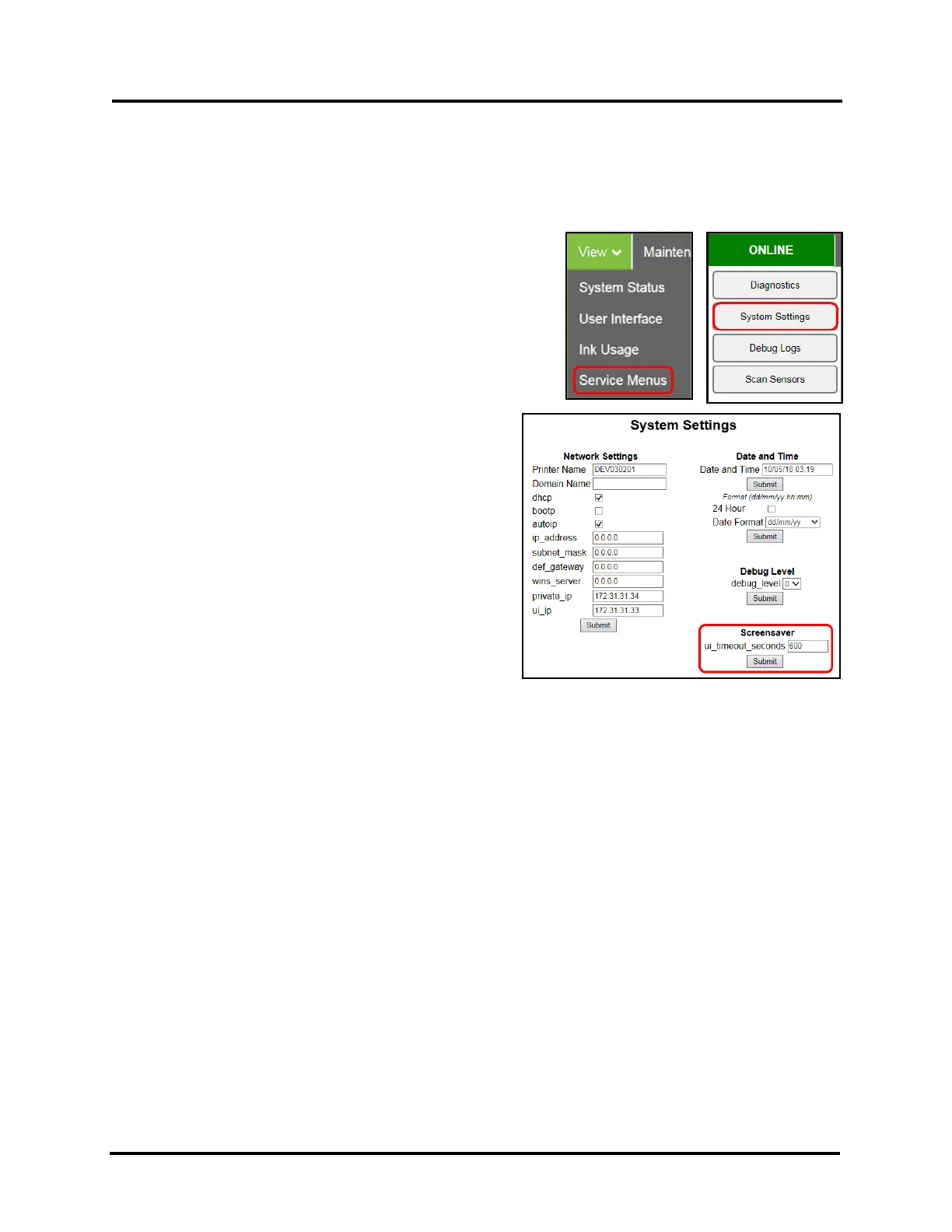
Screensaver – Set the amount of time (seconds) the Touchscreen will remain ON, when there is no user input,
before going to “sleep mode”.
NOTE: Touchscreen will go to “sleep mode” (black) when it has not been touched for the length of time (seconds)
defined by the value for “ui_timeout_seconds”. Default = 600 seconds (10 minutes).
Once in “sleep mode”, the screen will automatically wake-up (turn ON) if it is touched.
1. From the Toolbox, select “View” drop-down menu, click
“Service Menus”, and then click “System Settings”.
2. “System Settings” page opens. Under Screensaver, in the
field next to “ui_timeout_seconds”, enter the number of
seconds the Touchscreen will remain idle before going to
“sleep mode”.
3. Click “Submit”.



 To Next Page