SECTION 3
OPERATING PRINTER
74
History Logs (formerly Debug Logs)
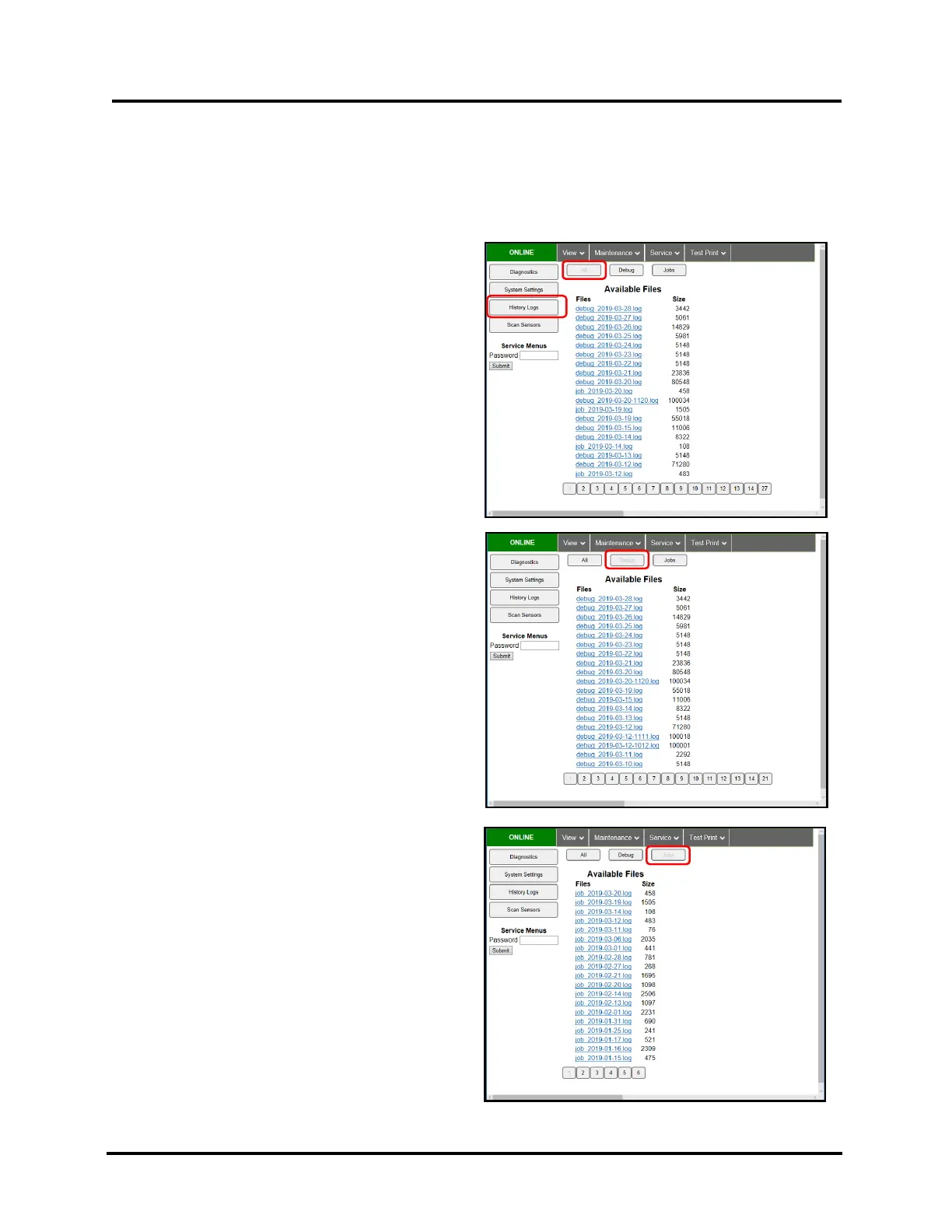
Use to access/open Printer Debug and Job logs.
These files are valuable for diagnosing and troubleshooting problems.
NOTE: If experiencing a persistent issue, you may be asked to provide a Debug Log from your printer.
A technician may ask you to set the Debug Level to 1 or 2, and reproduce issue, before providing them with the
Debug Log file.
All – Shows all (Debug and Jobs) log files available.
Debug – Shows only Debug log files.
Jobs – Shows only Jobs printed log files.
NOTE: In general, each day, a separate Debug and
Job log is saved to UI memory, for future reference.
Log files are saved with the following formats.
“debug_yyyy-mm-dd.log”
“job_yyyy-mm-dd.log”



 To Next Page