882 Video Test Instrument User Guide (Rev A.35) 141
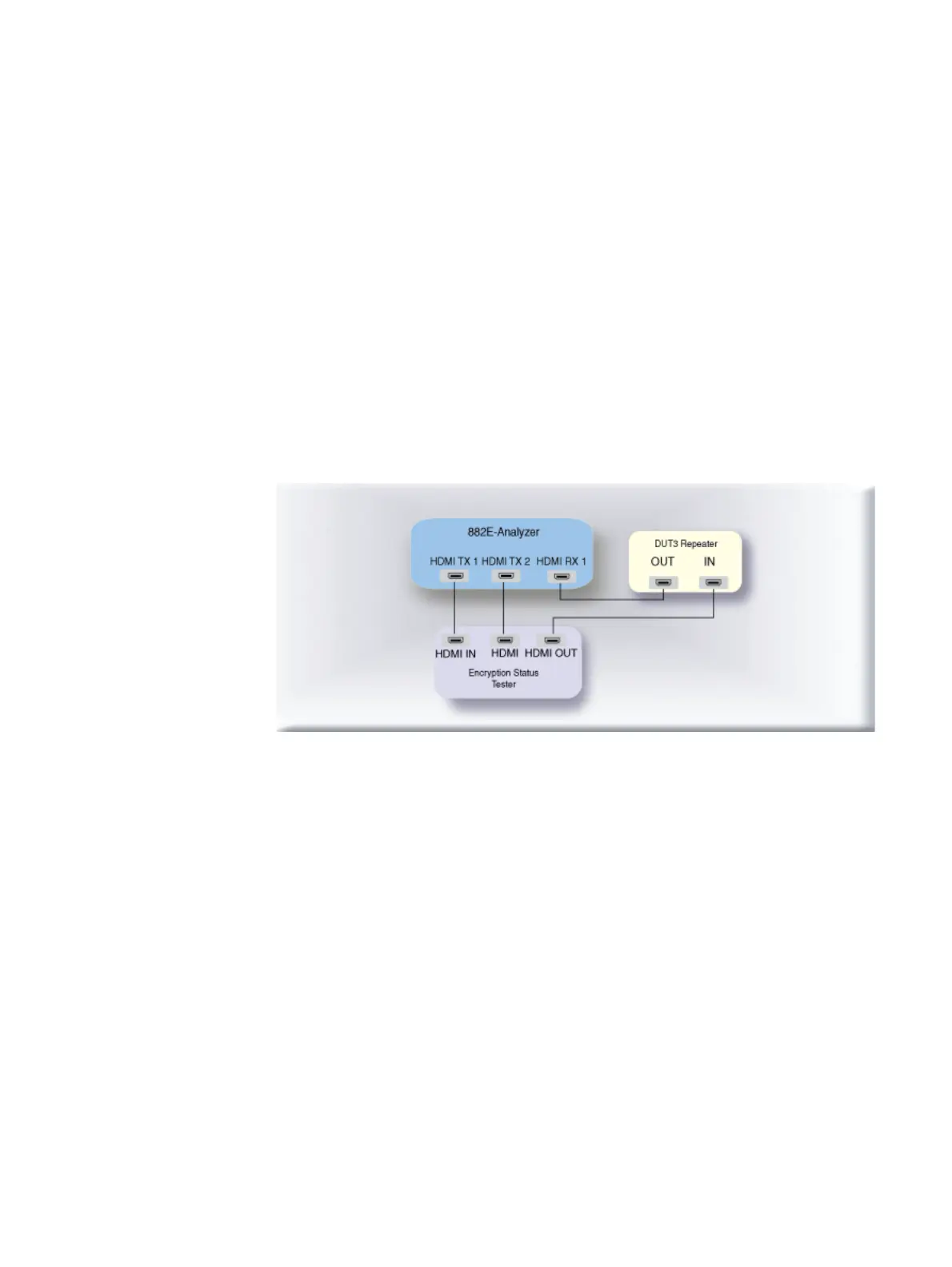
To run the 3C-I and 3C-II series HDCP compliance tests on an HDMI repeater:
1. Connect the cables as follows:
a. Apply power to the Encryption Status Tester (EST) using the power adapter
supplied with the EST.
b. Connect an HDMI cable from the repeater device under test input to the EST HDMI
port labeled, “HDMI OUT.”
c. Connect an HDMI cable from the 882 HDMI Rx 1 port to the HDMI output of the
repeater device under test.
d. Connect an HDMI cable from the 882 HDMI Tx 1 port to the EST HDMI port labeled
“HDMI IN.”
e. Connect an HDMI cable from the 882 HDMI Tx 2 port to the EST HDMI port labeled
“HDMI.”
The following diagram depicts the test setup for the 882E:



 To Next Page