99
SS Programming Example
USER GUIDE
PROGRAMMING AND CONFIGURATION EXAMPLES
SMART-SENSOR
™
2004 – 2014 Reliable Controls
®
Corporation. All rights reserved.
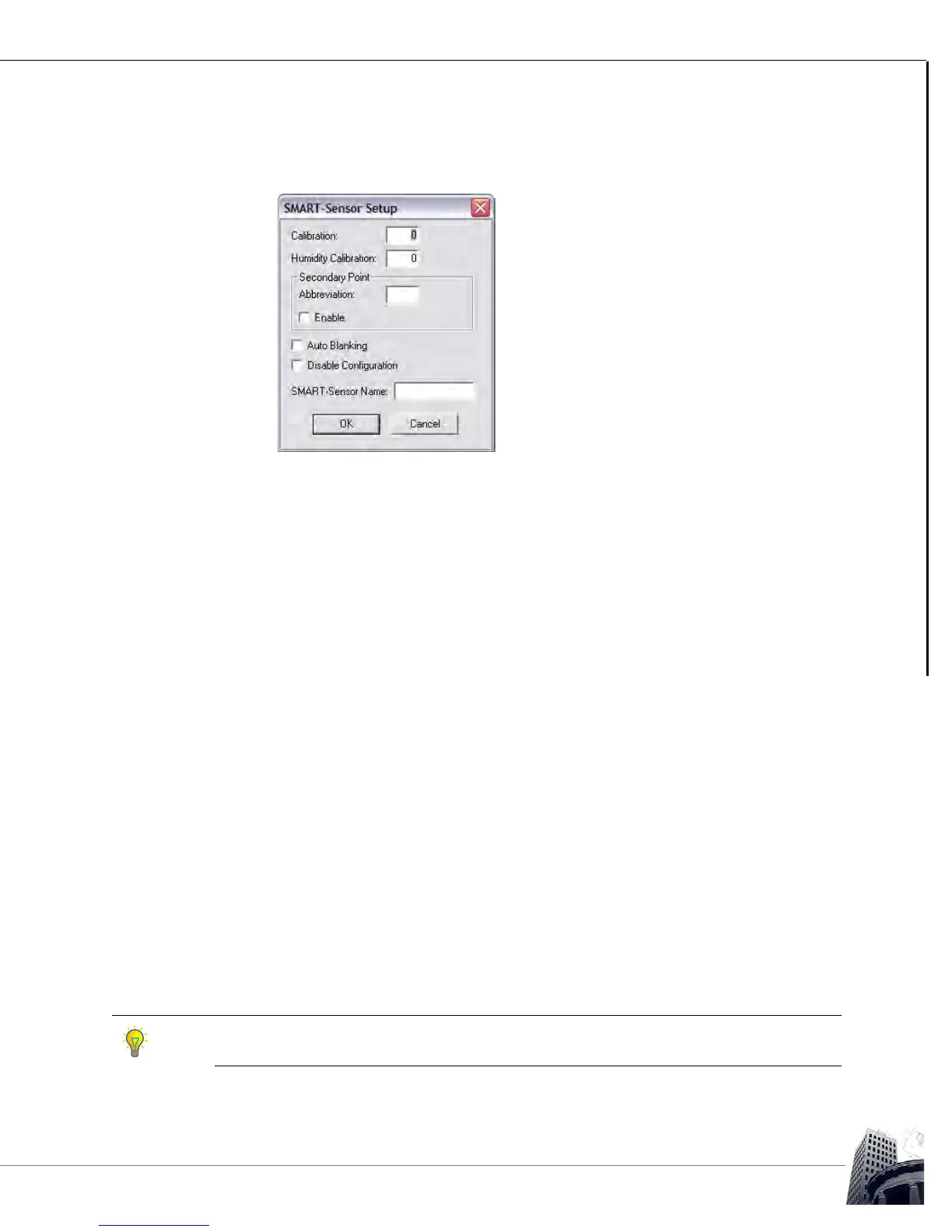
9 If necessary, click the Setup button of the SMART-Sensor worksheet to open
the SMART-Sensor Setup dialog box.
FIGURE 91: SMART-SENSOR SETUP DIALOG BOX FUNCTIONS
Complete the programming of the SS by performing the following tasks:
• Enter a calibration value for the onboard temperature sensor ± 3.1
degrees,
• Enter a calibration value for the onboard relative humidity sensor on -H
models ± 31%,
• If desired, enable the display of the secondary point on the top row in
Idle mode,
• If the secondary point is enabled, a two-character descriptive
abbreviation may be programmed to be displayed together with the
value,
• Disable the onboard configuration tools for addressing and airflow
calibration, and
• Enter a descriptive name for the SS that will appear to uniquely identify
the SS in the SMART-Sensors node of the System Tree.
1 0 Verify that SS setup changes have taken effect and that the SS and mapped
points are operating properly.
1 1 Close the SMART-Sensor worksheet.
1 2 As a suggested best practice, backup the pan file to save changes to the RC-
Studio
®
2.0 project database.
All values that must be modifiable by the SS, including both onboard options and/or
operator modification will have to be configured for Can Change.



 To Next Page