107
SS-L Programming Example
USER GUIDE
PROGRAMMING AND CONFIGURATION EXAMPLES
SMART-SENSOR
™
2004 – 2014 Reliable Controls
®
Corporation. All rights reserved.
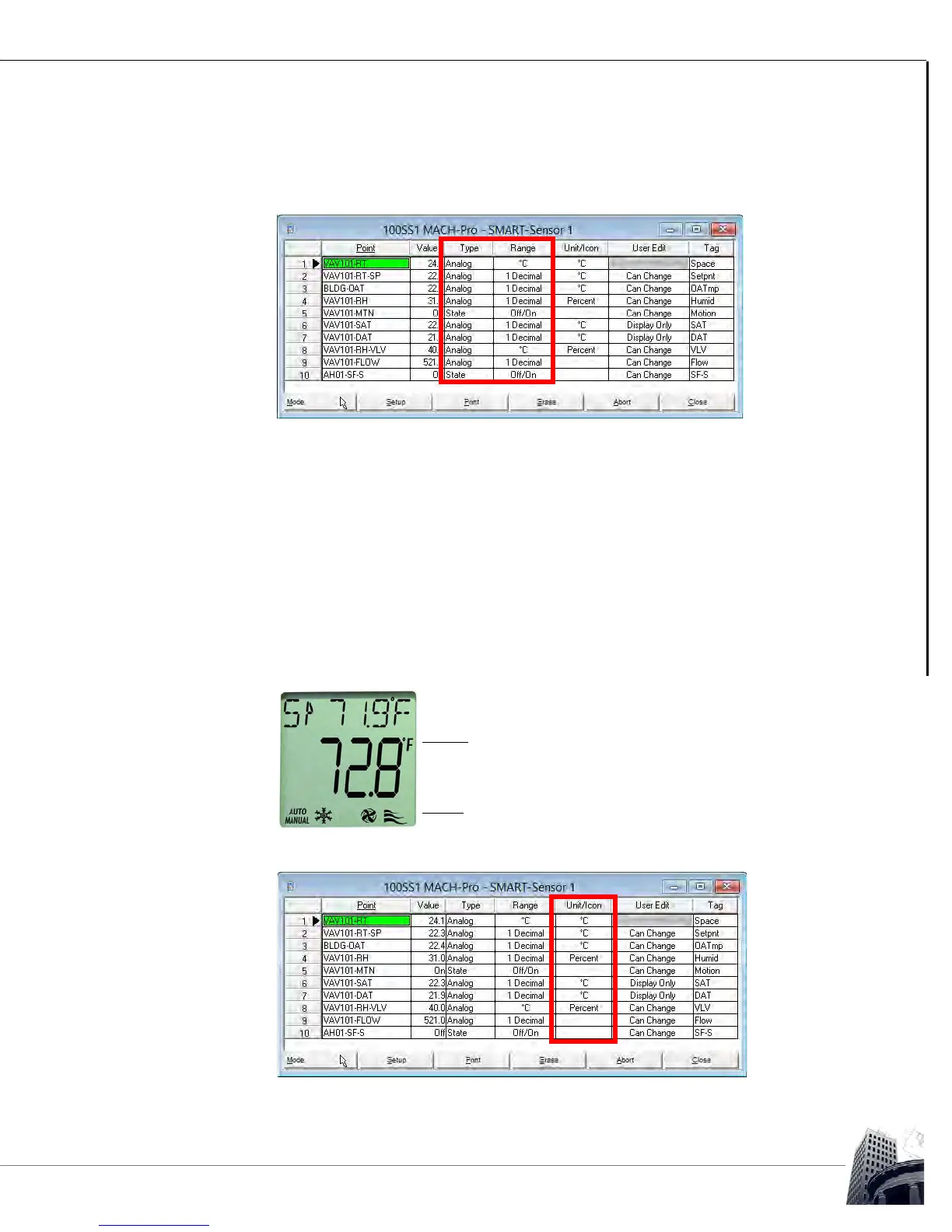
7 Determine the appropriate Type and Range for each point to be displayed.
Scroll through the available options for each by pressing the spacebar or
clicking the desired cell.
FIGURE 99: SMART-SENSOR WORKSHEET WITH TYPE AND RANGE CONFIGURED
8 Consider how the point should be displayed by configuring the Unit/Icon
column. If the value of an analog point is to be displayed, the appropriate
engineering unit can be selected from the available units by pressing the
spacebar or clicking the desired Unit/Icon cell.
Binary or Multi-State points may have their value displayed by scrolling through
the points on the LCD and/or as an icon in Idle mode. To configure the point to
be displayed as an icon, select the desired icon by pressing the spacebar or
clicking the Unit/Icon cell. The available units, icons and the functional display of
each icon is detailed in Table 12.
FIGURE 100: SS-L SHOWING UNIT & ICONS
FIGURE 101: SS-L PROGRAMMING EXAMPLE - SMART-SENSOR WORKSHEET WITH UNIT/ICON CONFIGURED



 To Next Page