MULTI-SENSE
6
Vehicle - 101
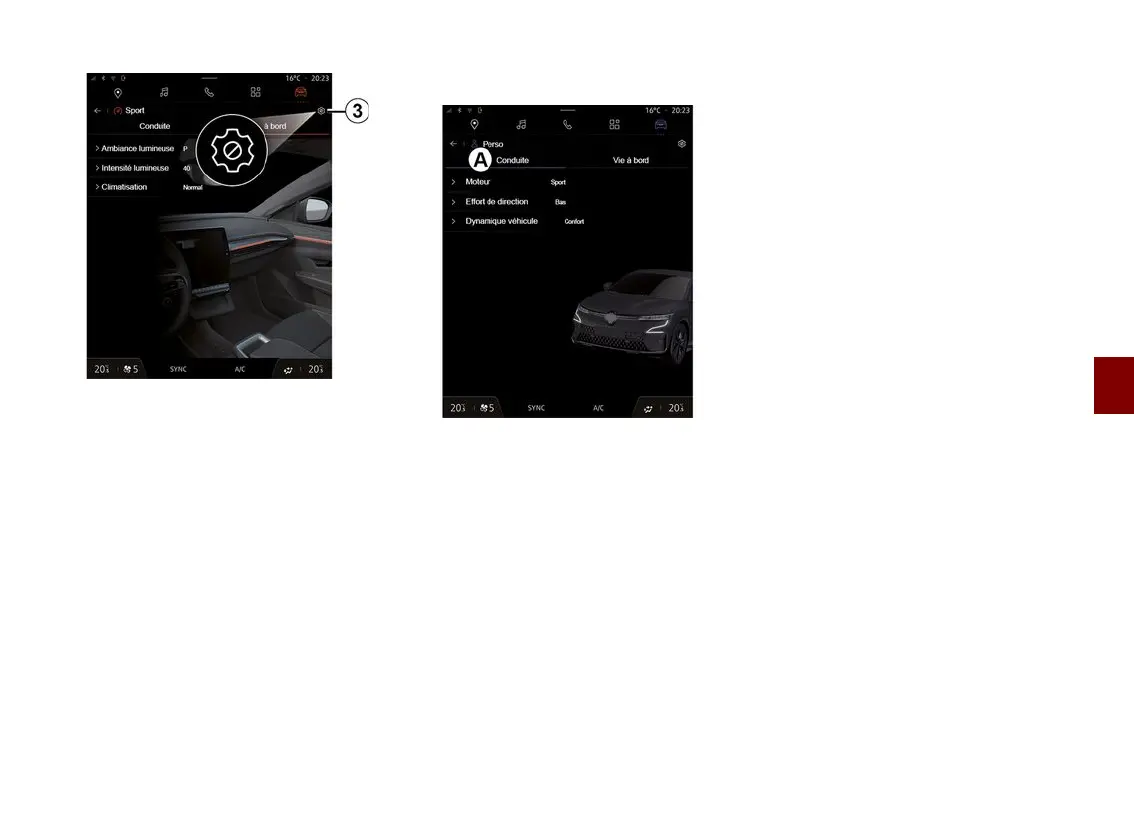
The "MULTI-SENSE" "Configure"
screen contains the following tabs:
– "Driving"
A
shows the functions
related to driving the vehicle;
– "Life on board"
B
shows the
functions related to the on-board
experience.
Note: the available settings may vary
according to the "MULTI-SENSE"
mode, your vehicle model and
equipment level.
From the tab
3
, you can "Reset mode
settings".
"Driving" settings
From the "Driving" tab
A
, you can
configure the following equipment:
– « Engine » ;
– « Steering effort » ;
– « Vehicle dynamics » ;
– ...
« Engine »
This menu offers several engine
response settings:
– « Normal » ;
– « Sport » ;
– « Eco ».
Depending on the setting selected, the
power and engine torque become
more noticeable and responsive.
« Steering effort »
This menu offers several steering
response settings:
– « Low » ;
– « Middle » ;
– « High ».
Depending on the setting selected, the
steering sensitivity can be adjusted to
become more reactive or heavier in
order to provide optimal balance
between a smooth and accurate
steering experience.
« Vehicle dynamics »
This menu, available on 2-wheel drive
vehicles, offers several operation
settings:
– « Normal » ;
– « Comfort » ;
– « Sport ».
Depending on the setting selected, the
braking of the wheels varies in relation
to the angle of the wheels in order to
offer optimal trajectory.
« 4Control Advanced »
This menu, available on 4-wheel drive
vehicles, offers several operation
settings. To modify, directly adjust the
level bar by sliding your finger to the
left to increase stability, or to the left to
increase agility.



 To Next Page