ENTER A DESTINATION
2
42 - Navigation
Enter a destination
Precautions regarding
navigation
Use of the navigation
system does not in any
way replace the responsibility or
vigilance of the driver when
driving the vehicle.
For safety reasons, carry
out any adjustments
while the vehicle is
stationary.
Certain functions are only
available while the vehicle
is stationary.
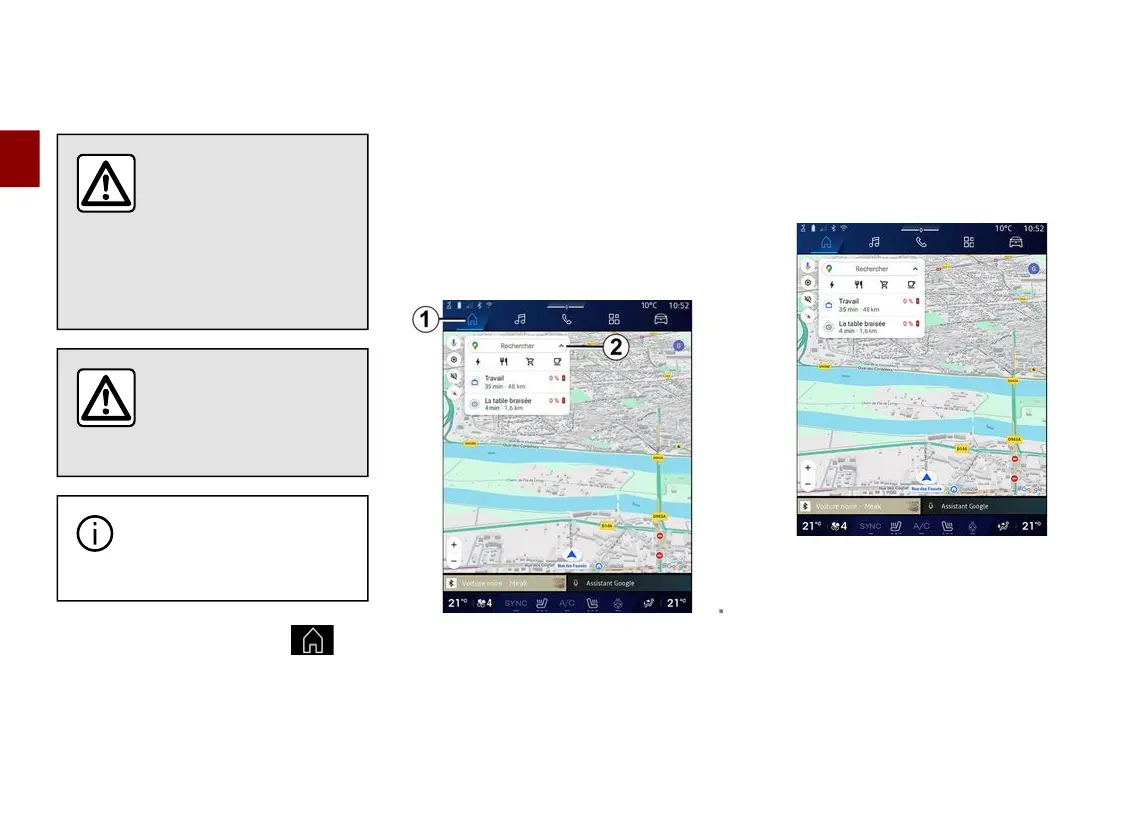
From the "Navigation" World
1
,
press the destination search bar
2
.
Using voice recognition to enter an
address
Activate voice command, then state
the name of a town, a number and/or
street name, a destination area.
For more information, see the section
on "Using voice recognition".
Note: to benefit from all the navigation
functions, please connect to your
Google® account.
From the destination search bar
2
you
can access:
– recent destinations;
– categories (POI: points of interest);
– saved addresses (home, work,
favourites, etc.).
Note: the activation of location and
data sharing is required in order to use
the online destination search function.
Please see the section on "Activating
services";
"Home" and "Work" destinations
From the search bar, you can run
navigation guidance to your "Home" or
"Work" location.
When you select "Home" or "Work" for
the first time, the system asks you to
register an address.
Note: only one "Home" and one
"Work" address can be stored by the
multimedia system.



 To Next Page