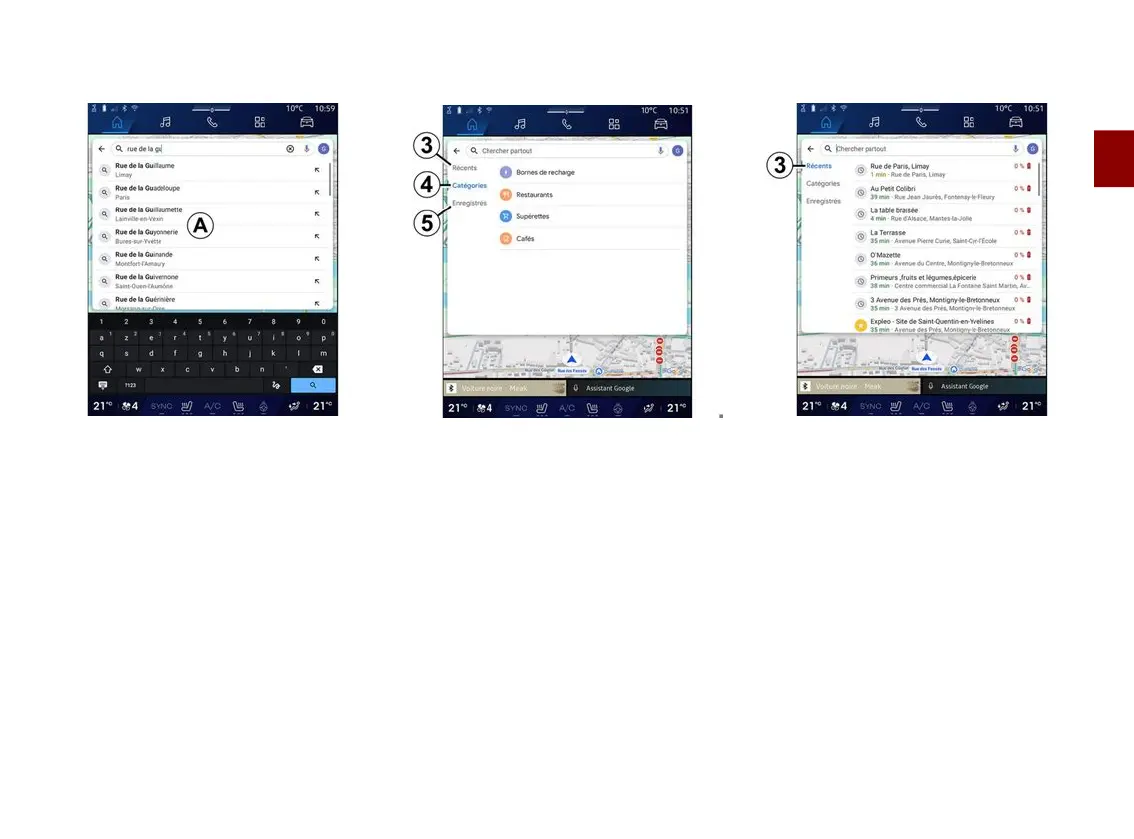
ENTER A DESTINATION
2
Navigation - 43
Finding an address
From the search bar
2
, you can enter
a full or partial address (country, town,
postcode, street, street number,
intersection, etc.).
When you start entering letters, the
system suggests similar street names.
You can:
– press the street name displayed on
the screen to confirm your selection;
– browse the list
A
of suggested
streets to see the full list
corresponding to your search.
Search for a destination
From the destination search bar
2
, you
can access the tabs for the following
different types of destinations:
– "Recent"
3
;
– "Categories"
4
;
– "Save"
5
.
Recent destinations
3
From the search bar, select the
"Recent" tab to access the list of
recently-used destinations. These are
automatically stored from the
multimedia system and from the
devices connected to your "Google®"
account.
Select a destination to start guidance.



 To Next Page