MY RENAULT
5
Apps - 87
– select "Create Account" from the
home page;
– enter the information required to
create the account.
From the app:
– select "Register" from the main
menu of the application;
– enter the information required to
create the account.
A confirmation email will be sent to the
email address previously provided.
To finalise the creation of your "My
Renault" account, click on the link
displayed in the confirmation email.
Note: you can use the same
username and password to log in to
your web user account.
Synchronise your "My Renault"
account with your vehicle
In order to use the "My Renault"
application and interact with your
vehicle, you must synchronise the "My
Renault" application with your vehicle.
Synchronisation takes place
automatically when you launch your
app.
Note:
– if you want to synchronise the "My
Renault" app with your vehicle, you
must be present in your vehicle,
parked in an area with network
coverage and your vehicle's
multimedia system must be switched
on;
– the connection to the "My Renault"
account is available only from the
administrator profile;
– if your "My Renault" app is not
synchronised with your vehicle, you
will not be able to access your service
contracts.
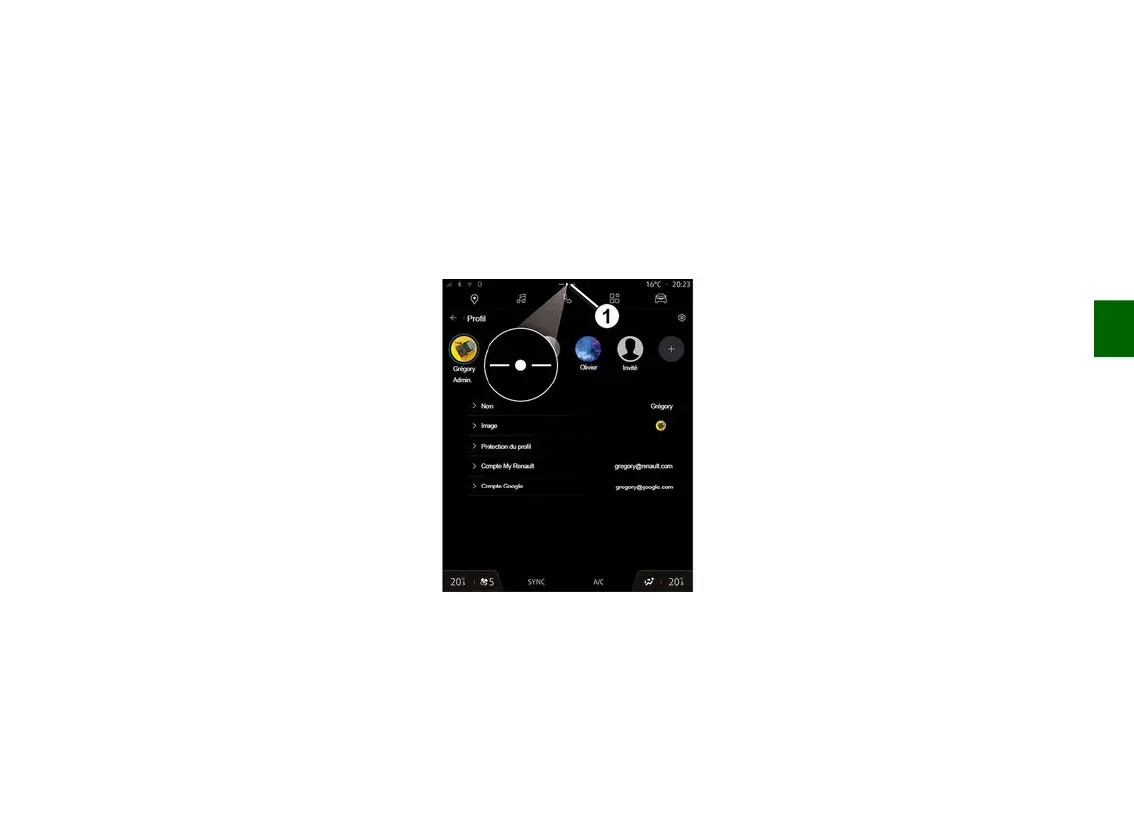
From the Notifications centre (access
by pressing
1
) select your "Profile",
"My Renault" account, then follow the
instructions on the multimedia system
screen.
Once your "My Renault" account is
associated with the multimedia
system, the synchronisation will take
place automatically when you launch
your app.
Register your vehicle in your
"My Renault" account
If you have already synchronised your
"My Renault" account with your
vehicle, the registration is done
automatically.
You can also register your vehicle in
your "My Renault" account via your
"My Renault" account by clicking on
"Add a vehicle" and adding the VIN
(vehicle identification number) or
registration number of your vehicle
manually or by scanning it.
Renewing a service
To renew one of your services as it
approaches expiry, go to the "Renault
CONNECT store" tab in your "My
Renault" account then select "My
services".
Then click "Renew" and follow the
step-by-step instructions.



 To Next Page