USER SETTINGS
7
122 - Settings
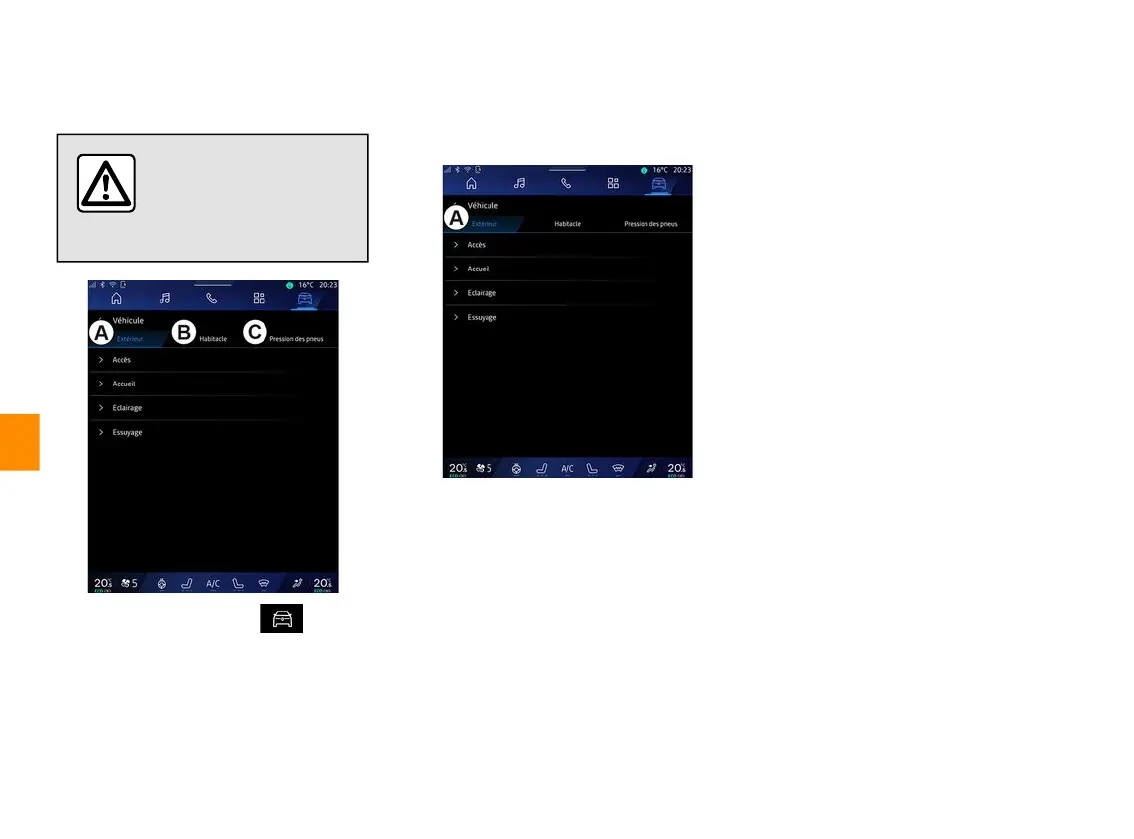
"Vehicle" menu
For safety reasons, carry
out any adjustments
while the vehicle is
stationary.
From the "Vehicle" world , select
the "Vehicle" menu.
From this menu you can access the
following tabs:
– "Outside"
A
;
– "Cockpit"
B
;
– "Tyre Pressure"
C
.
Note: the availability of settings may
vary according to the equipment level.
"Outside"
A
« Access »
Use this menu to activate/deactivate
the following options:
– « Auto door lock while driving » ;
– « Hands-free lock/unlock » :
– ...
« Welcome »
Use this menu to activate/deactivate
the following options:
– « External lighting sequence » ;
– « Internal sequence sound » ;
– « Automatic mirrors' unfolding » ;
– « Internal light function » ;
– ...
« Driving lights »
Use this menu to activate/deactivate
the following options:
– "Adaptive lighting";
– « Traffic side selection » :
– « Left » ;
– « Right ».
– ...
Note: some options are available only
if the previous functions are activated.
« Wiping »
Use this menu to activate/deactivate
the following options:
« Silent mode » ;
Note: some options are available
only if the previous functions are
activated.
–
"Access and start by phone" (digital
key);
Note:
–
when the function is
deactivated you will no longer
receive notifications related to
it;
–
for further information, please
see the vehicle user manual.
–



 To Next Page