USING VOICE RECOGNITION
1
General information - 35
Using voice recognition by
smartphone replication
Main functions controlled by your
smartphone's voice command
When the smartphone is connected to
the multimedia system via smartphone
replication, some voice commands can
be used to access the domains and
apps available on the smartphone.
For more information on "smartphone
replication", please see the "Android
Auto™, CarPlay™" section.
Some voice commands can be used to
access the following smartphone
functions:
– Navigation ;
– Music;
– Phone ;
– ...
Note: if you wish to use your
smartphone's voice recognition with
the multimedia system, make sure that
you are located in area with network
coverage.
Smartphone replication
command with voice
recognition
When you use voice
recognition using
smartphone replication, you
use your phone's Internet
connection, which is subject to
charges and limitations imposed
by your mobile operator.
To use your smartphone's voice
recognition system with your
multimedia system, you must:
– ensure that your smartphone has a
voice recognition function that is
compatible with your multimedia
system;
– connect your smartphone to the
multimedia system via smartphone
replication.
For more information, please refer to
"Connecting, disconnecting a phone"
and "Android Auto™, CarPlay™".
Voice controls
(depending on equipment)
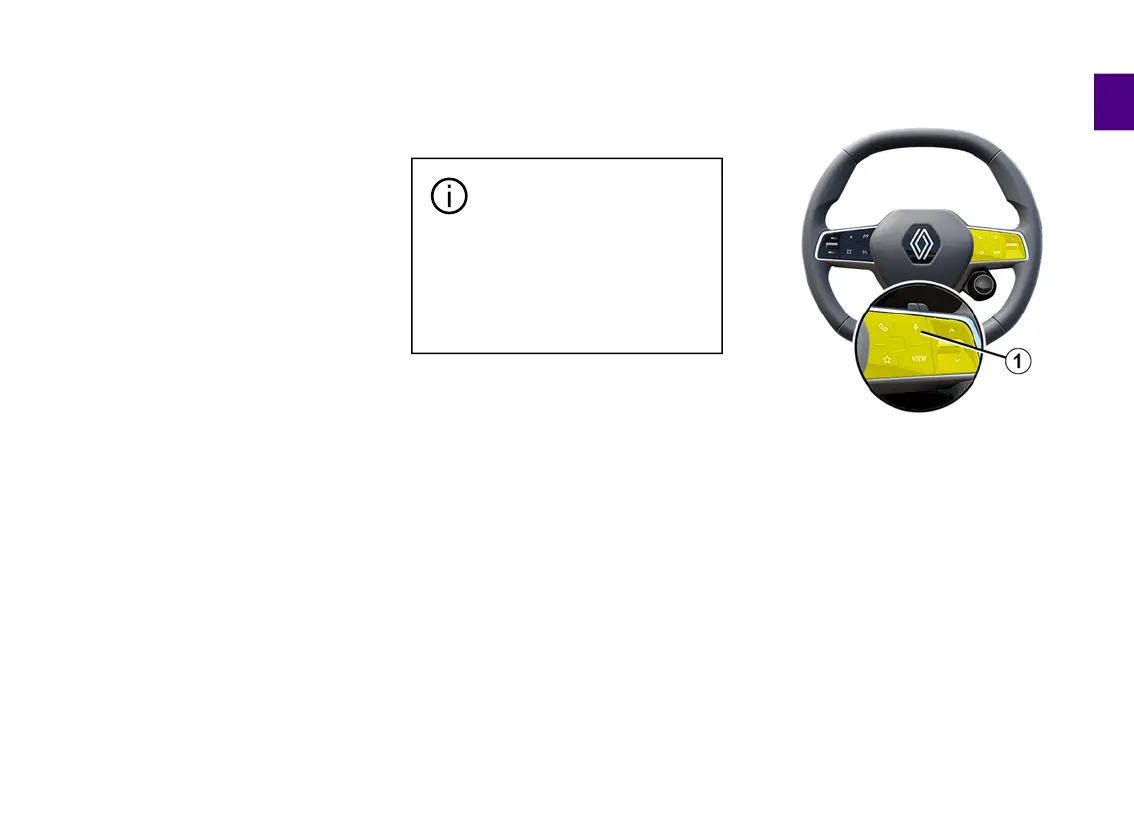
You can use the smartphone
replication voice command without
using the screen by long-pressing
button
1
; a confirmation will then
sound and be displayed on screen.
Activation
To activate the voice recognition
system:
– press and hold the voice recognition
button
1
in your vehicle;



 To Next Page