ANDROID AUTO™, CARPLAY™
5
82 - Apps
"CarPlay™" is a pre-equipped service
on your smartphone which enables
you to use some apps on your
smartphone via your multimedia
system screen.
Note:
– the "CarPlay™" service only works if
the SIRI service is activated and if your
smartphone is connected to your
vehicle's USB port or wirelessly using
Bluetooth® to enable automatic
connection to your system by WIFI;
– to ensure that the app functions
correctly, it is advisable to use USB
cables recommended by the
smartphone manufacturer.
First use
Connect your smartphone to your
multimedia system USB port or
connect using Bluetooth® to enable
automatic WIFI connection to your
system.
The multimedia system suggests that
you:
Accept the requests on your
smartphone in order to use the
application.
The service is launched on the
multimedia system and should be
visible from area
B
. Smartphone
replication replaces the "Phone" World
and the icon
2
appears.
If the procedure described above fails,
repeat the operation.
To exit "CarPlay™" wireless
replication:
– deactivate the WIFI on your
smartphone;
– press the approved dealer
application among the smartphone
replication applications.
From the "Applications" World ,
then "Devices Manager", you can also
activate/deactivate the smartphone
replication function by pressing the
"CarPlay™" replication icon .
Voice recognition
This function is only available if your
smartphone is connected to the USB
port in your vehicle.
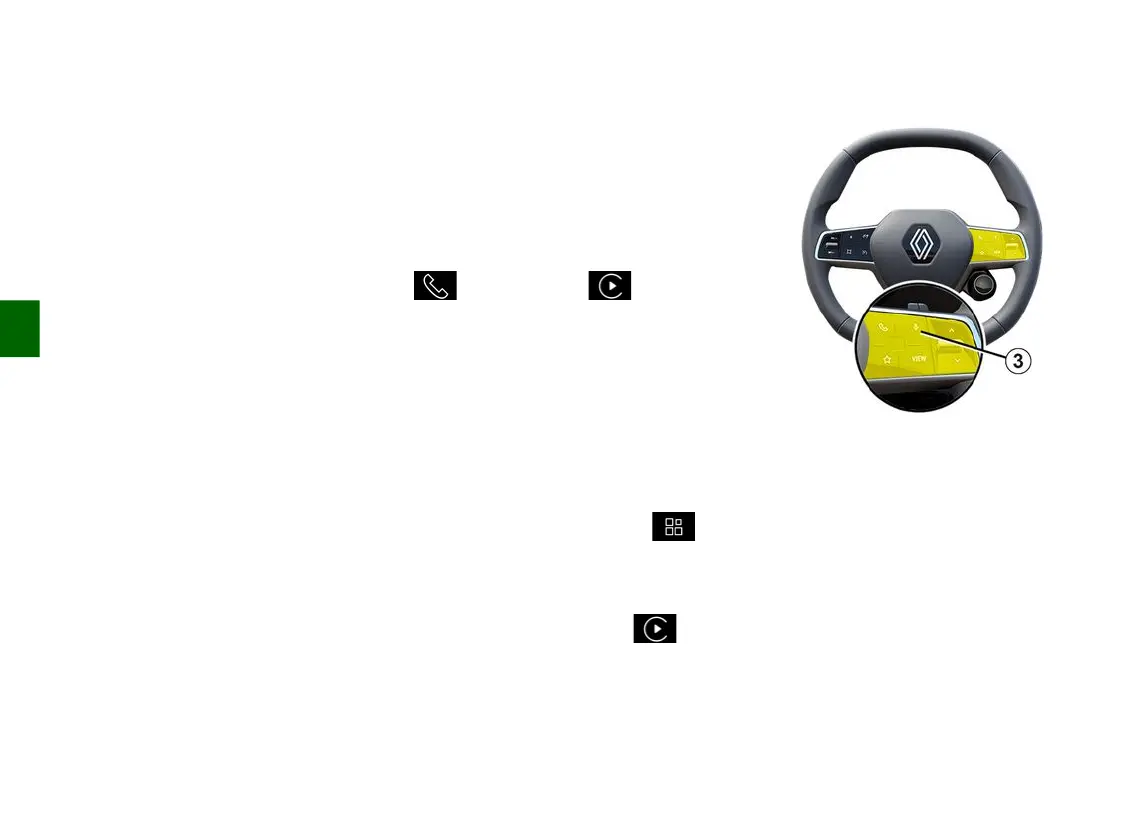
Press and hold the control
3
to
activate/deactivate your smartphone's
voice recognition function for
controlling certain apps and functions
by voice command.
For more information, see the section
on "Using voice recognition".
authorise the connection and data
sharing;
–
automatically connect to the
"CarPlay™" service for future
sessions.
Note: if you do not allow the
multimedia system to remember
these choices, a reminder message
–
will be displayed each time you
start.



 To Next Page