APP MANAGEMENT
5
Apps - 85
– The "Vehicle" World , then
"Settings";
– the notification centre, then the
"Settings" icon .
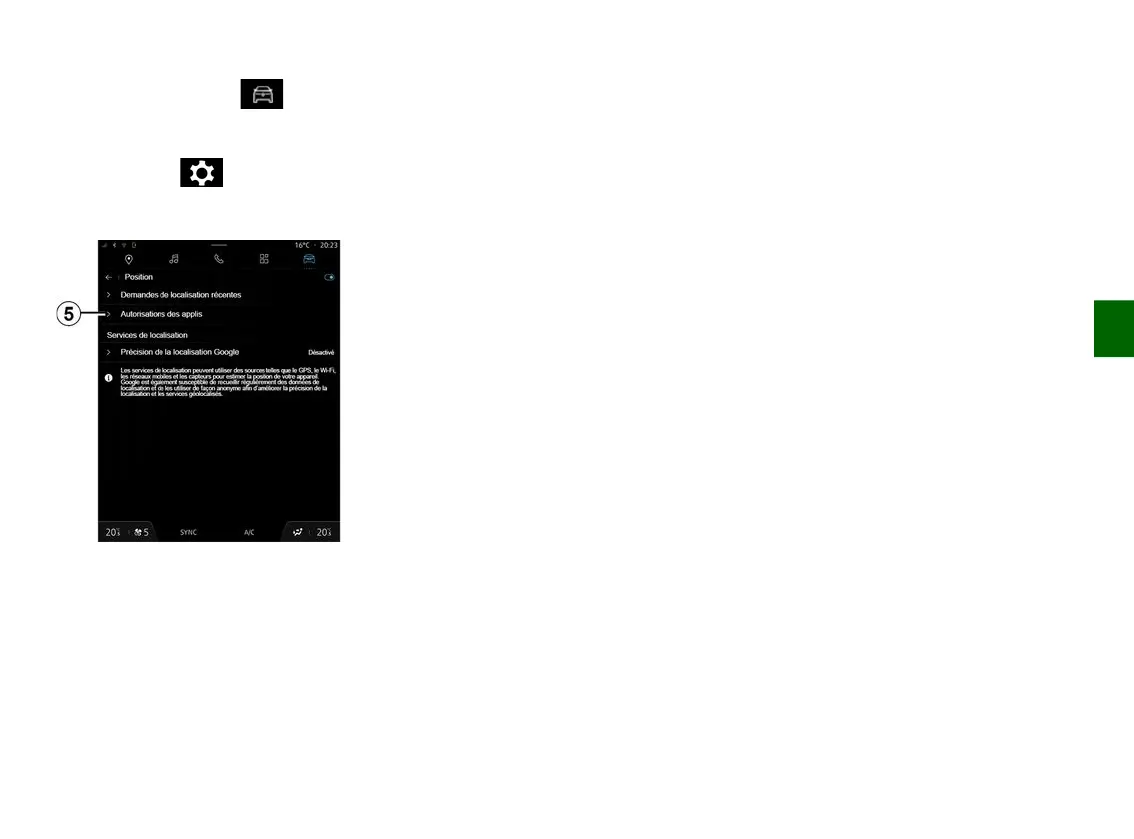
Location of the "Applications"
From the "Settings" menu, select
"Location", then "App permissions"
5
to configure the location permissions
for the apps installed on your
multimedia system.
"Apps and notifications"
From the "Settings" menu, then "Apps
and notifications", you can access
information and settings for
the "Applications" installed on your
multimedia system:
– "Display all apps";
– "Default apps";
– "App permissions";
– "Specific access rights granted to
apps".
"Display all apps"
You can access information on all the
apps present in your multimedia
system:
– title of apps;
– size of apps;
– version of apps;
– app validity or creation date;
– ...
"Default apps"
You can access the default apps used
for:
– the home screen;
– assistance;
– the SMS;
– the telephone;
– the navigation system.
You can also configure the opening of
the app access links.
"App permissions"
You can access the app usage
permissions for the following purposes:
– "Physical activity";
– "Calendar";
– "Camera";
– "Body sensors";
– "Contacts";
– ...
"Specific access rights granted to
apps"
You can activate/deactivate the
specific access rights granted to apps
used for:
– "Changing the system settings";
– "Accessing notifications";
– "Accessing premium SMS";
– "Accessing user information";
– "WIFI control".



 To Next Page