ACTIVATING SERVICES
1
16 - General information
– via the link of the Internet service
provider available in the document
provided by the approved dealer (once
the vehicle has been purchased).
Configure "Google Assistant" and
the applications
5
The multimedia system offers various
ways to connect to your account
Google®:
– using your Google® account ID
(email or phone number, then
password);
– depending on your phone model,
using a QR Code that can be scanned
on the screen of the multimedia
system.
Follow the instructions shown on the
multimedia system screen.
Configure the associated app
6
The multimedia system suggests that
you associate your smartphone with
your profile via "My Companion".
Follow the instructions shown on the
multimedia system screen.
For further information, please refer to
the section on ''User settings".
Lock the profile
7
In order to safeguard sensitive
information and preserve your privacy,
we strongly recommend that you
protect your personal data. In order to
do this, the multimedia system enables
you to lock access to your profile using
the following methods:
– « Pattern » ;
– « PIN code » ;
– « Password » ;
– "Do not use profile locking".
Follow the instructions displayed on
the multimedia system screen to
complete the configuration.
To preserve your privacy,
including the confidentiality
and integrity of your
personal data, we strongly
recommend that you lock your
profile.
Data collection
Once your services activation request
has been validated, when you start the
multimedia system you will still be able
to activate/deactivate data collection or
to modify the level of data sharing. To
choose the terms of use for your
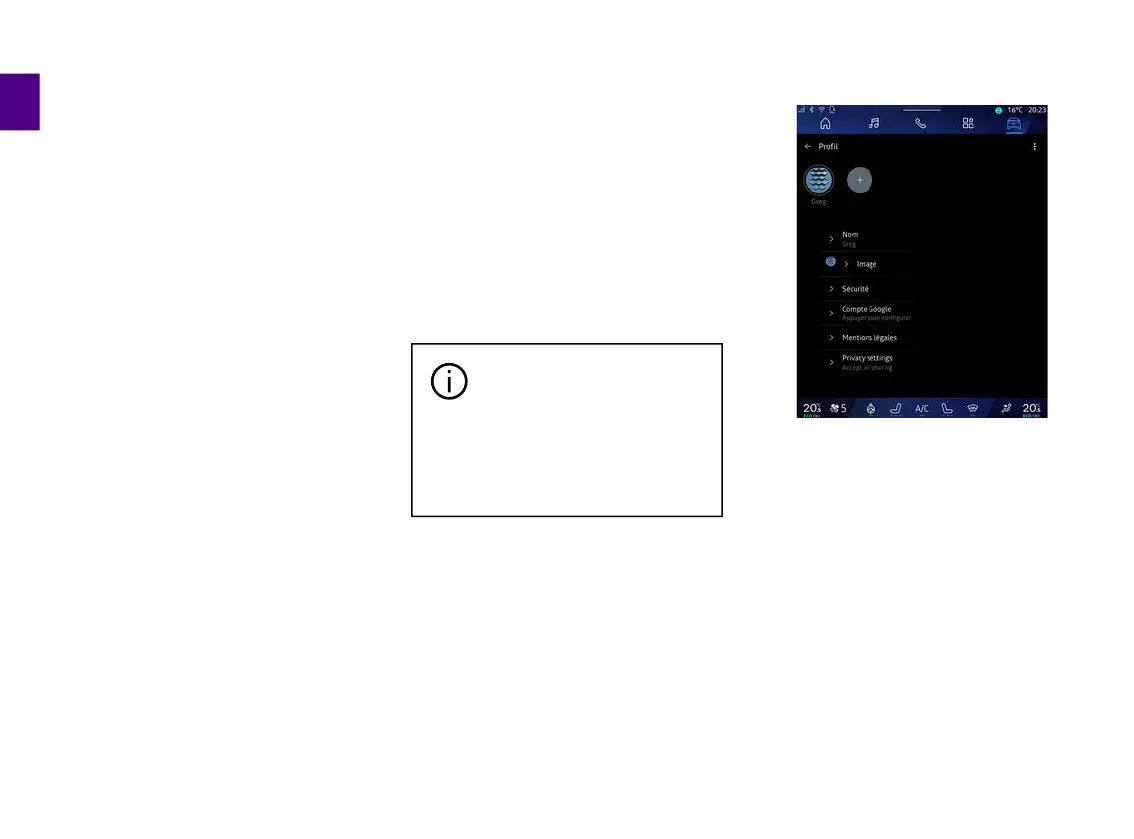
personal data, open the notification
centre, select your "Profile", then
"Privacy settings".
Then choose from the following levels
of data sharing:
– "Accept all": authorise the sharing of
your data;
– "Refuse all": refuse the sharing of
your data;



 To Next Page