SYSTEM SETTINGS
7
Settings - 127
For safety reasons, carry
out any adjustments
while the vehicle is
stationary.
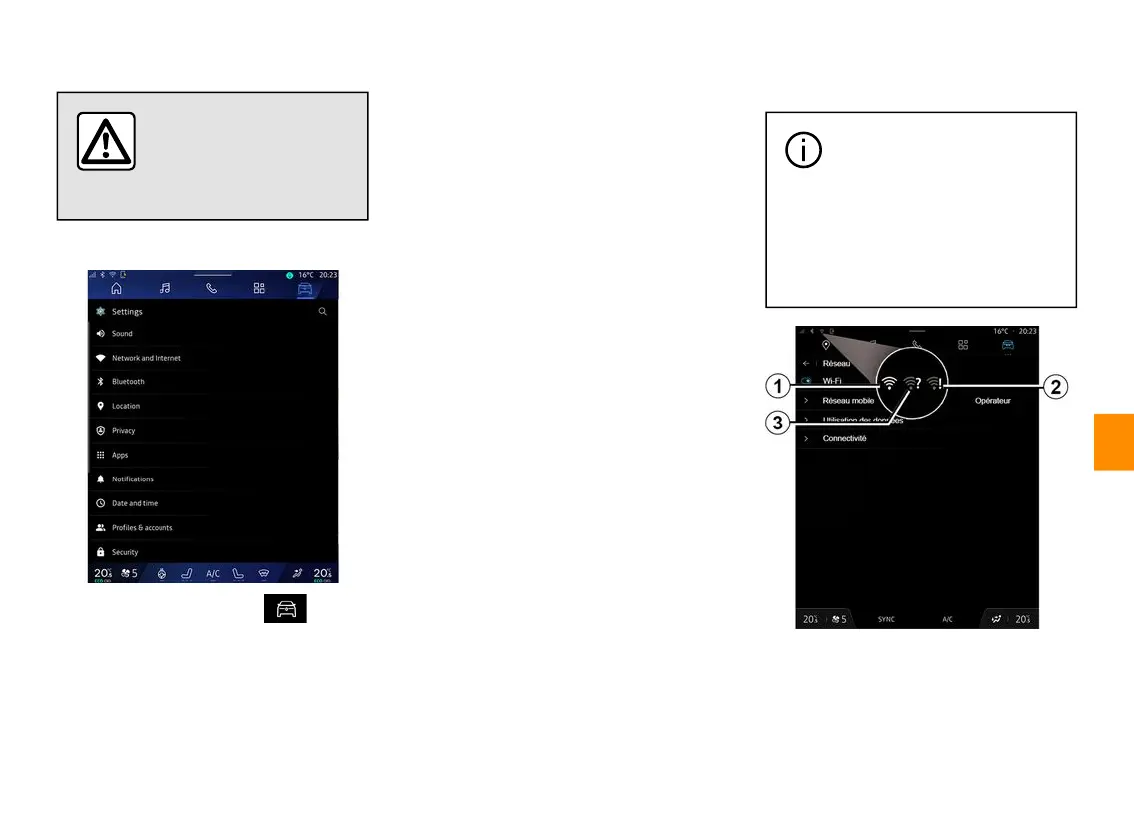
"Settings" menu
From the "Vehicle" World ,
press "Settings".
You can also access the "Settings"
menu from the Notifications centre by
pressing the "Settings" icon.
Note:
– the availability of settings may vary
according to the equipment level;
– some settings are available while the
vehicle is stationary.
This menu enables you to adjust the
following settings:
– « Sound » ;
– "Network and Internet";
– « Bluetooth® » ;
– "Location";
– "Confidentiality";
– "Apps";
– "Notifications";
– « Date and time » ;
– "Profiles and Accounts";
– « Security » ;
– « System » ;
– « Update & assistant » ;
– « Google® » ;
– ...
« Sound »
This menu can be used to set and
adjust the following volume settings:
– « Media volume » ;
– "Incoming call volume";
– « Alarm volume » ;
– "Notifications volume";
– "Navigation volume";
– « Assistant volume » ;
– "Phone ringtone";
– ...
"Network and Internet"
When you use connection
sharing on your phone, you
are using your phone's
Internet connection via the WIFI
connection (subject to charges
and limitations imposed by your
mobile operator).



 To Next Page