LISTEN TO THE RADIO
3
58 - Audio/Multimedia
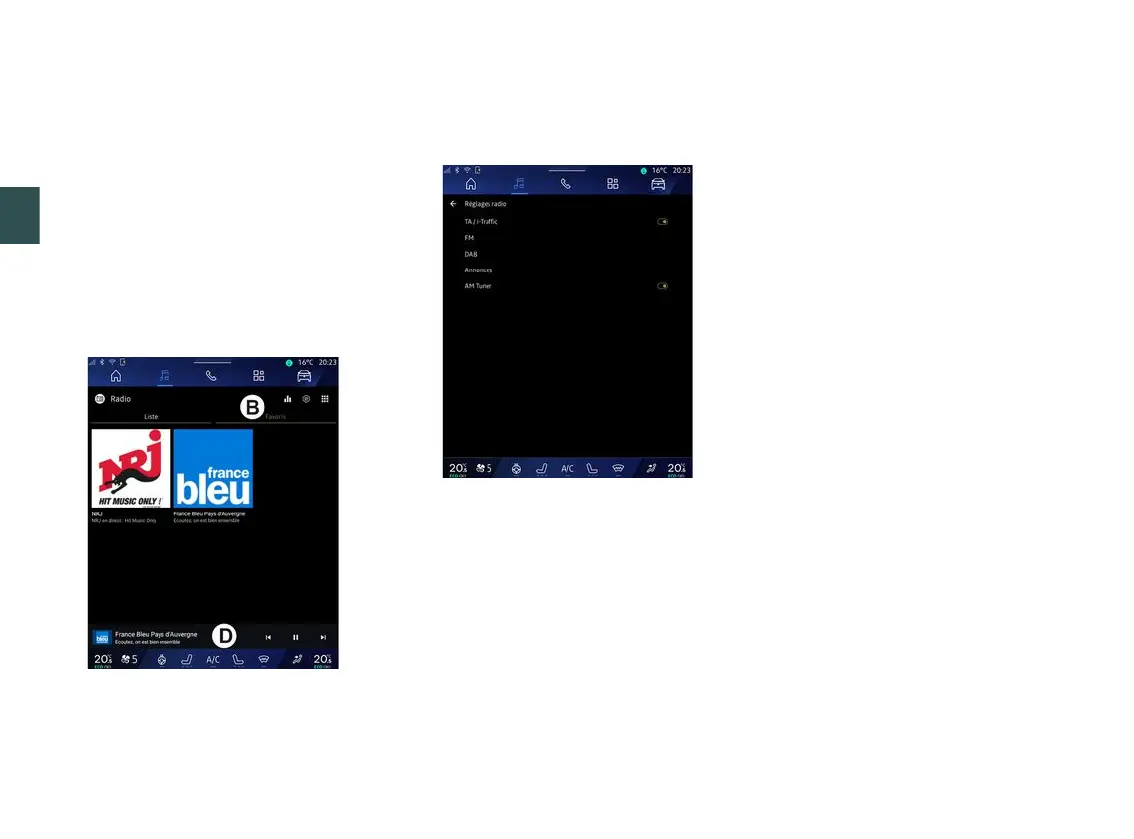
The radio station currently playing is
displayed in the mini player
D
. Press
this area to display the current radio in
full screen.
If "FM" band radio stations do not use
the RDS system or if the vehicle is in
an area with poor radio reception, the
station name and logo will not appear
on the screen, only the frequency.
Note: some information is only
available on certain radio stations.
"Favourites" mode B
This mode allows you to access the
previously stored radio stations.
Select a radio station from the list to
listen to it directly.
The radio station currently playing is
displayed in the mini player
D
.
"Radio settings" menu 5
From the "Radio settings" menu
5
, you
can access the following radio function
settings:
– « TA/I-Traffic » ;
– « FM » ;
– "DAB" (depending on equipment);
– "i-Announcement" (depending on
equipment and country);
– "AM radio" (depending on
equipment).
"TA/I-Traffic" (traffic information)
When this function is activated, your
audio system enables traffic bulletins
to be received (depending on the
country) if they are broadcast on
certain FM radio stations.
You must then select the frequency of
the station that is transmitting traffic
information. If you are listening to
another source (USB, Bluetooth®), it
will be automatically interrupted
whenever traffic information is
received.
« FM »
From the settings, you can activate or
deactivate the following elements:
– « Alternative Frequency (AF) » ;
– « Region ».
«AlternativeFrequency(AF)»
The frequency of an "FM" radio station
may change depending on the
geographical area.
Activate the Alternative Frequency
(AF) function to continue listening to
the same radio station whilst changing
geographical area.
The audio system will automatically
track frequency changes without
interruption.
Note: not all radio stations offer this
possibility.
Poor reception can sometimes cause
erratic and annoying changes in
frequency. In this case you should



 To Next Page