SWITCHING ON, OFF
1
26 - General information
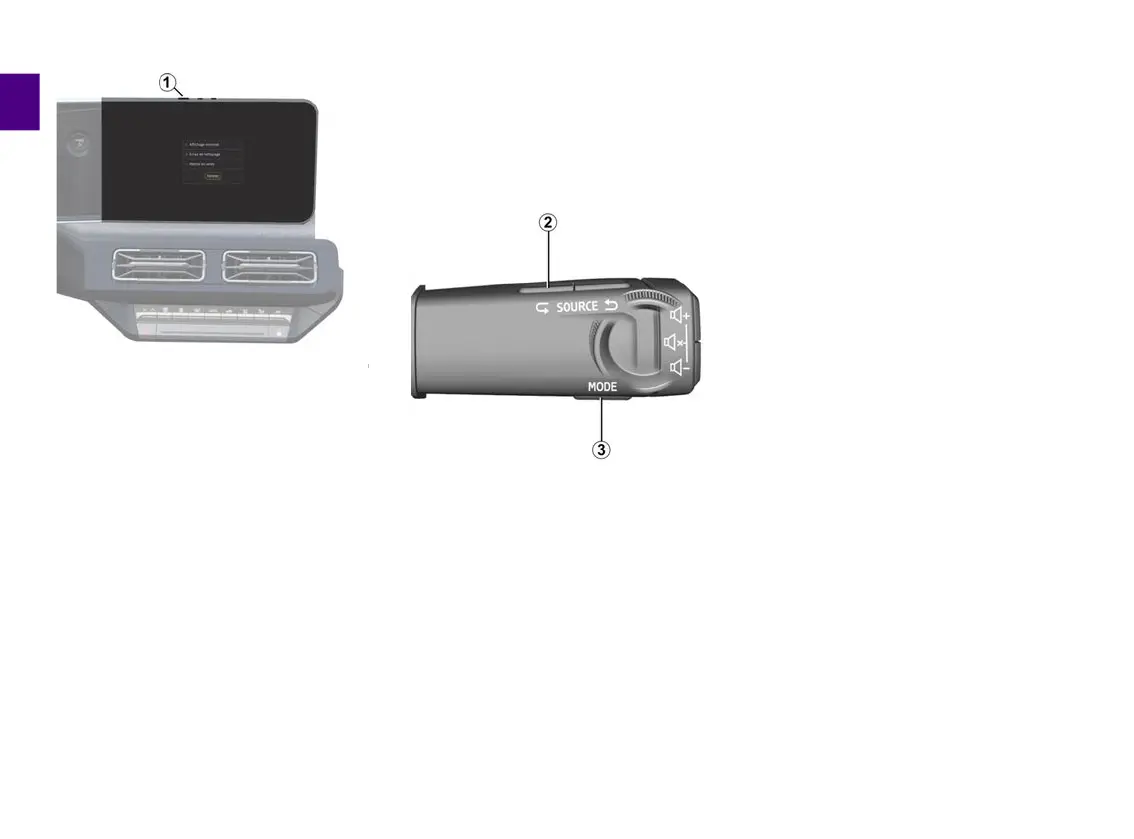
The multimedia system can be
switched off:
– by briefly pressing the control
1
on
the multimedia panel, then by pressing
on "Stand-by";
– when the opening elements of your
vehicle are locked.
Minimum display
This function allows you to display only
the exterior temperature, the clock and
the heating level bar on the screen.
To select this display mode, briefly
press the control
1
on the multimedia
panel, then press the "Minimal display"
function.
Other functions will be displayed when
you briefly press the control
1
:
– « Radio - Music OFF »/« Radio -
Music ON » ;
– « Cleaning screen ».
Restart
The multimedia system can be
restarted by pressing and holding
(press and hold until the system
restarts):
– on the multimedia panel control
1
;
or
– on button "Mode"
3
and button
"Source" on the left
2
of the steering
column control.



 To Next Page