PAIR AND CONNECT A PHONE
4
66 - Phone
identical between the phone and the
multimedia system.
Once your phone is paired to the
multimedia system, you can select the
services that you wish to use via the
"Devices Manager". For more
information, please refer to
"Connecting, disconnecting a
telephone".
Note: the phone is linked to the profile
used when pairing. The phone may be
unavailable on other user profiles.
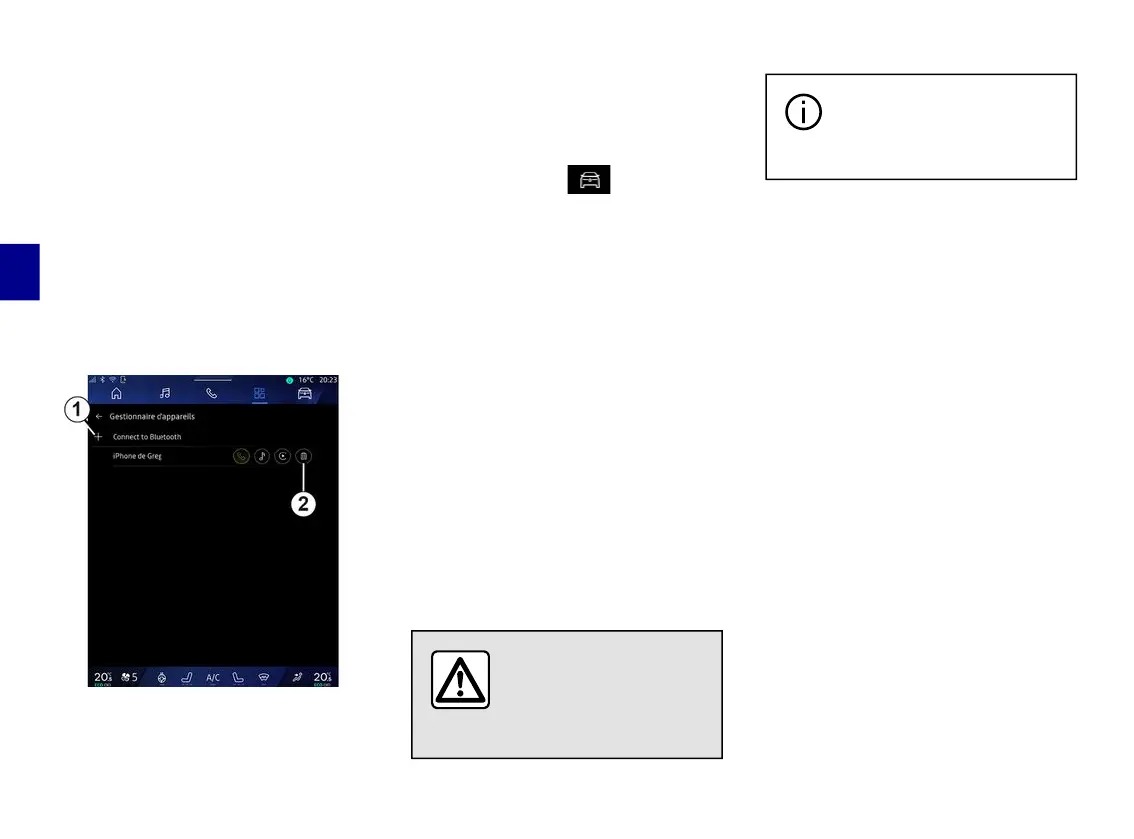
Pairing another telephone
From the "Devices Manager" menu
you can pair a new phone to the
multimedia system:
– press the icon
1
"Pair new device";
– select your new phone from the list
of suggestions, then finalise the pairing
procedure.
You can also add a new phone from
the "Vehicle" world , "Settings",
"Bluetooth®", "Pair new device", then
select your new phone from the list of
suggestions and finalise the pairing
procedure.
Your new phone is now paired to the
multimedia system.
There is no limit on the number of
phones that can be paired.
Unpairing a telephone
From the "Devices Manager" menu
you can unpair the phone from the
multimedia system:
– press the icon
2
of the phone to
unpair;
– press "Yes" to confirm.
Connecting, disconnecting a
telephone
For safety reasons, carry
out these operations
when the vehicle is
stationary.
Certain features are only
available while the vehicle
is stationary.
Connecting a telephone
To connect a telephone, it must be
paired beforehand. For more
information, please refer to the section
on "Pairing, unpairing a telephone".
Note: if no telephone is connected to
the multimedia system, some menus
will be disactivated.
Connecting your telephone will enable
the multimedia system to access your
telephone functions. No copies of your
contacts or personal data will be saved
in the multimedia system.
To enable the multimedia system to
manage phones equipped with "dual
SIM", configure your phone to use a
default SIM. Please see your phone
user manual.
Automatic connection
Once started, the multimedia system
searches for any paired phones with
Bluetooth® activated nearby (up to 10
metres away). The system
automatically displays the data of the
phone connected (phonebook, music,
etc).



 To Next Page