GENERAL DESCRIPTION
1
10 - General information
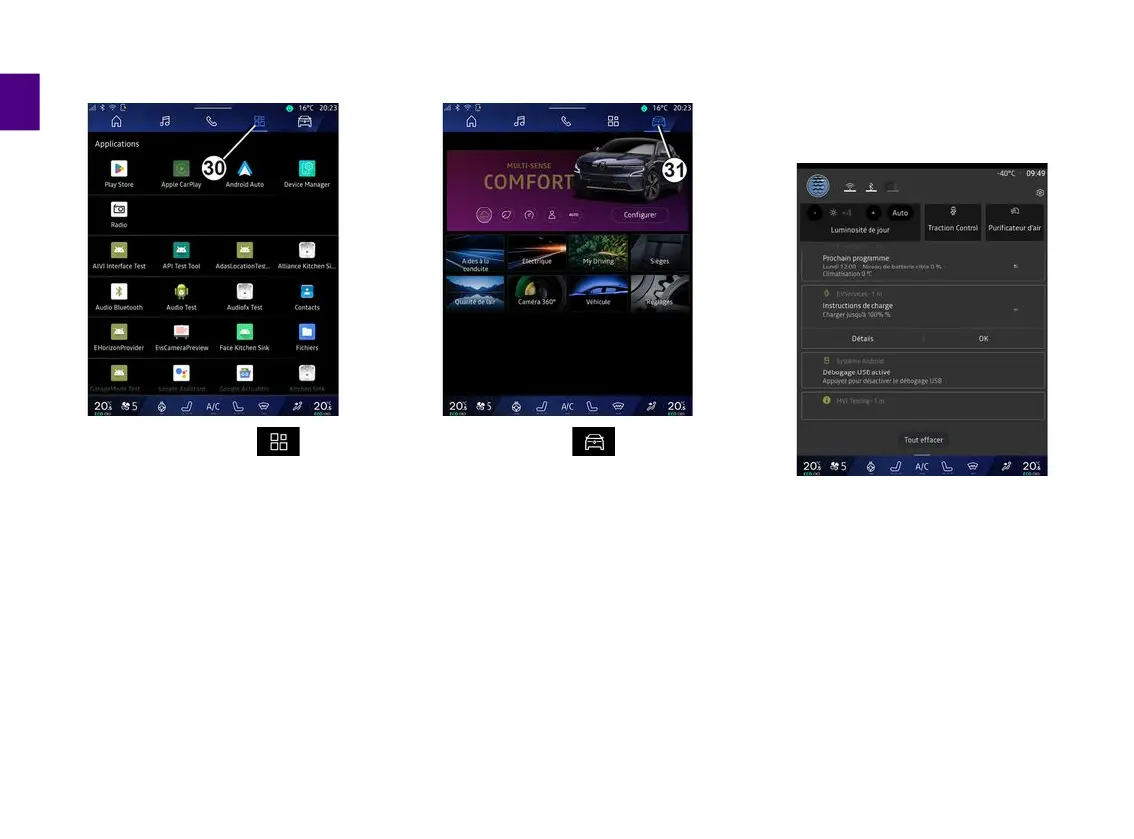
"Applications" World
The "Applications" World , which
can be accessed using button
30
, can
be used to access applications from
the multimedia system and those
available on "Play Store™" (depending
on the equipment).
"Vehicle" World
The "Vehicle" World , which can
be accessed using button
31
, enables
you to manage some vehicle
equipment such as the MULTI-SENSE,
the driving aids, the 360° camera, the
My driving, etc. and to adjust various
multimedia system settings such as
the display, the language, etc.
Note:
– depending on the equipment level,
only available functions that can be
selected appear on the home screen;
– you can also access the various
modes by pressing your vehicle's
"MULTI-SENSE" control repeatedly.
Please refer to the vehicle user
manual for further information.
Notification centre
The notification centre
8
provides
access to the notifications, Profile and
certain functions at any time.



 To Next Page