ADD, MANAGE WIDGETS
1
28 - General information
Customising the widgets
From the "Vehicle" world , the
"Vehicle" menu, "Cockpit", then "Edit
widgets" you can customise the
widgets.
You can also customise the widgets:
– from the "Home page" world
by pressing and holding the widget
that you wish to customise;
or
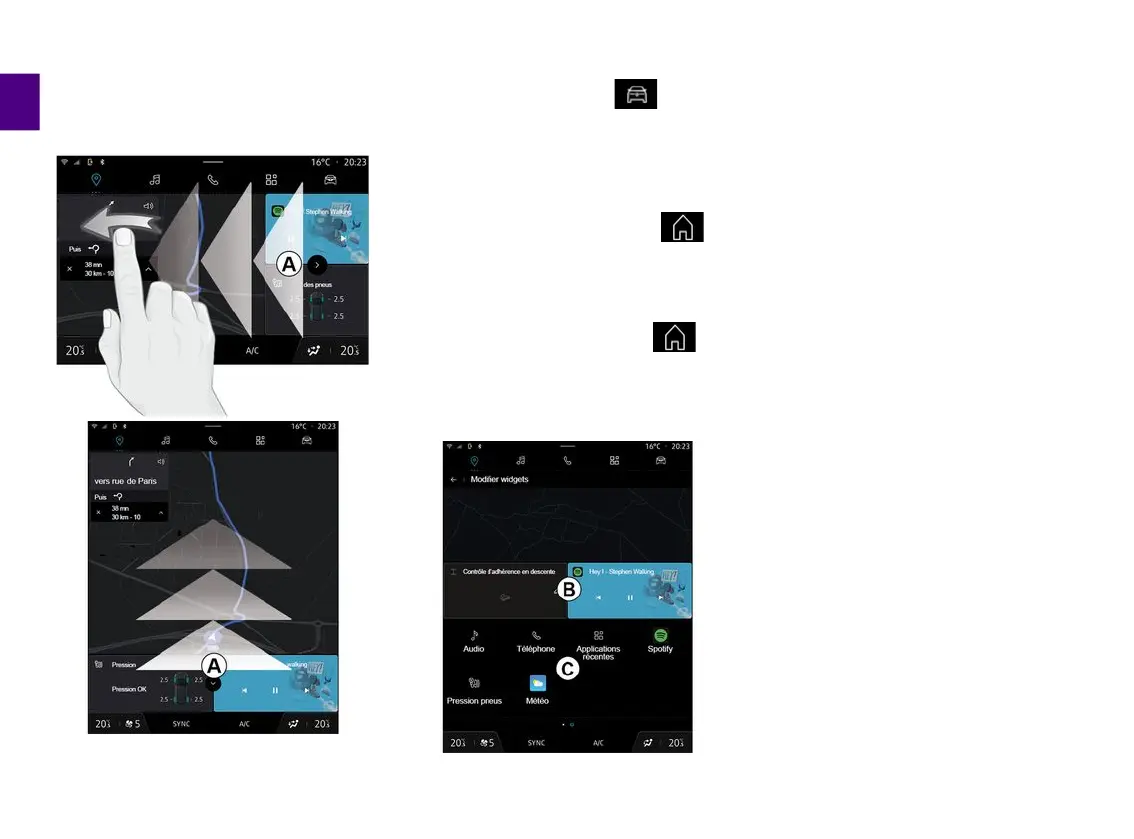
– from the "Navigation" world by
"swiping" from zone
A
towards the
centre of the screen, then by pressing
and holding the widget that you wish to
customise.
Then select the desired location in
area
B
simply by touching the screen
and select the widget that you wish to
display from the list
C
.



 To Next Page