ENTER A DESTINATION
2
46 - Navigation
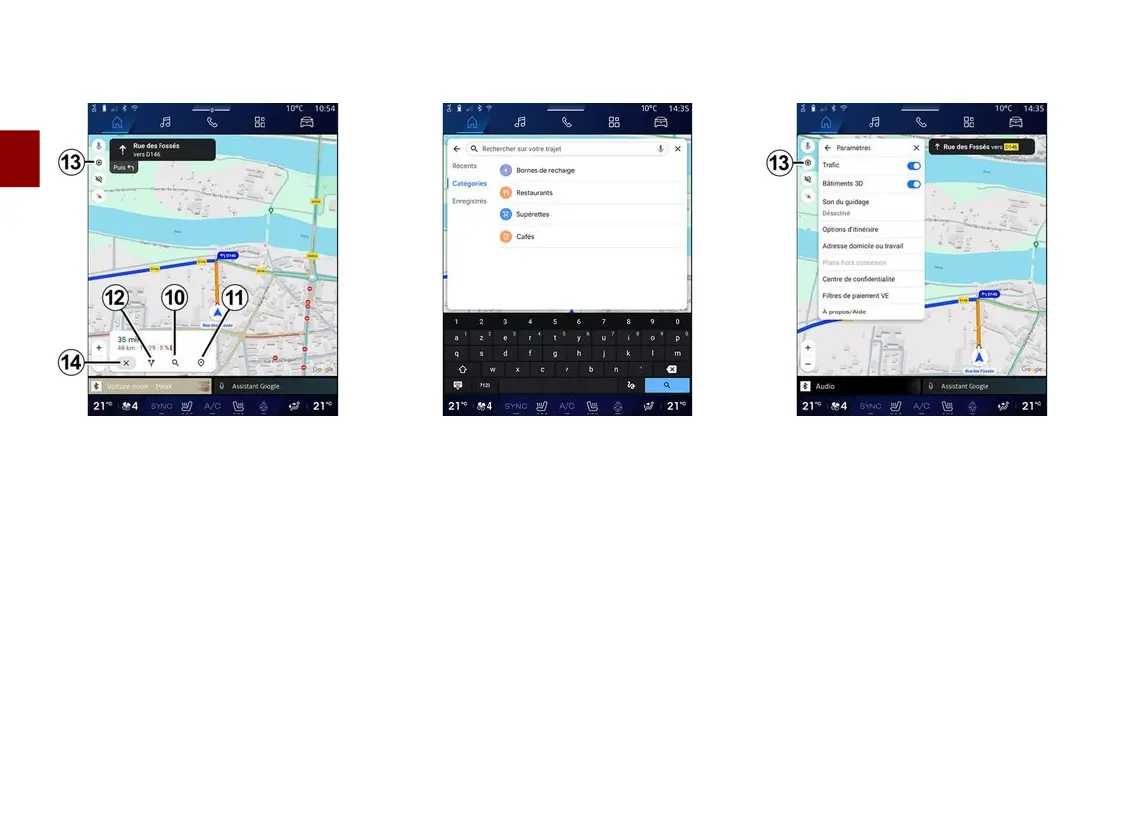
"Choose another route"
12
To view the other routes suggested by
the multimedia system, press
12
.
"Search along the route"
10
This function enables you to search for
and/or to add one or more stages to
your route in progress. You can add:
– a search using voice recognition;
– "Service stations";
– "Restaurants";
– "Convenience stores";
– "Cafes".
"Settings"
13
Use this menu to access the following
navigation settings:
– "Traffic";
– "3D buildings";
– "Guidance sound";
– "Route options";
– "Change the address of the home or
work place" (if saved already);
– "Offline maps";
– "Confidentiality centre";
– "EV Payment filters";
– "About/Help".
For further information on the
"Settings", see the section on
"Navigation settings".



 To Next Page