NAVIGATION SETTINGS
2
Navigation - 51
– mute the sound of the "Navigation"
and keep only the sound of the
"Traffic" alerts
14
;
– reactivate the voice guidance sound
15
;
– test the sound of the "Navigation" to
adjust the volume of the voice
guidance
16
.
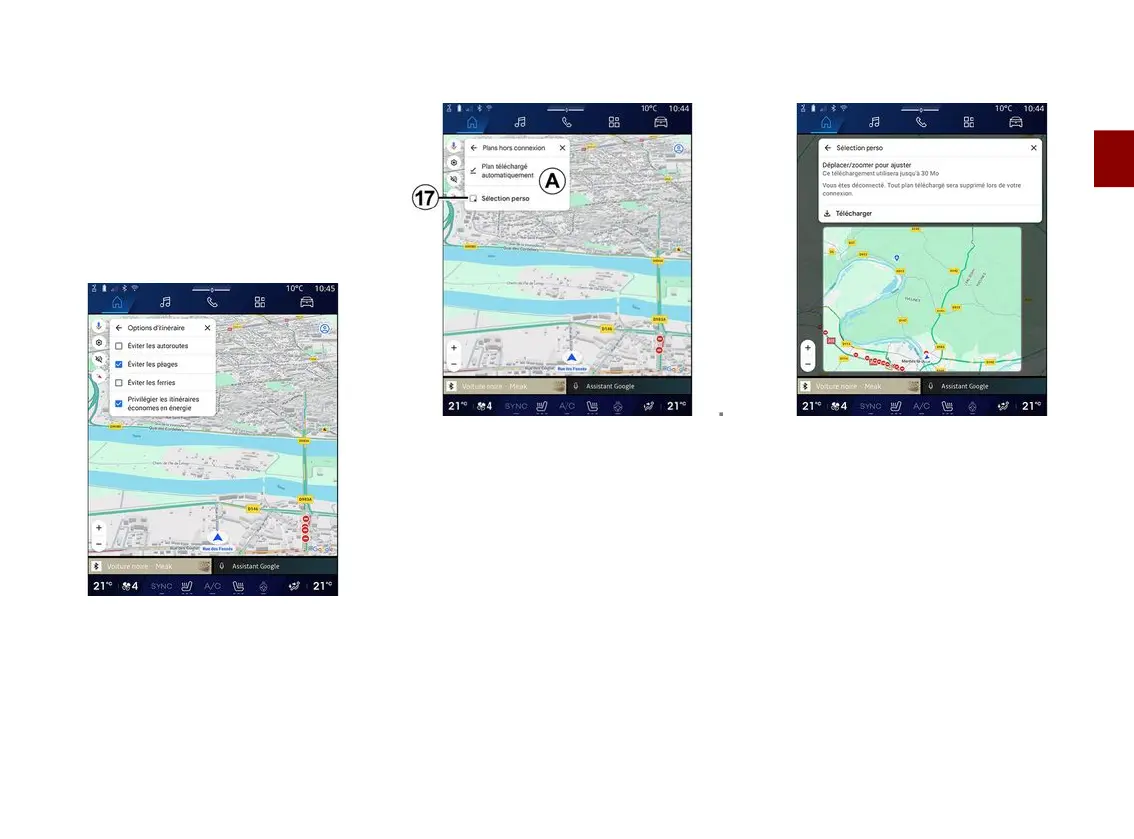
"Route options"
4
From this setting, you can activate/
deactivate the following route options:
– "Avoid major roads";
– "Avoid toll roads";
– "Avoid ferries";
– "Give priority to energy efficiency".
"Offline maps"
5
Offline maps enable you to download
and save maps in your multimedia
system so they can be used when you
go to a location where the Internet
connection is slow, cannot be
accessed or do not wish to use an
Internet connection.
The list of offline maps is available at
A
.
To add an offline map to "Custom
selection", press
17
.
Custom selection
This function can be used to select an
area on the map and its information to
be downloaded.
Pan and zoom the map to adjust the
selection to be downloaded.



 To Next Page