Particular characteristics to be noted when configuring
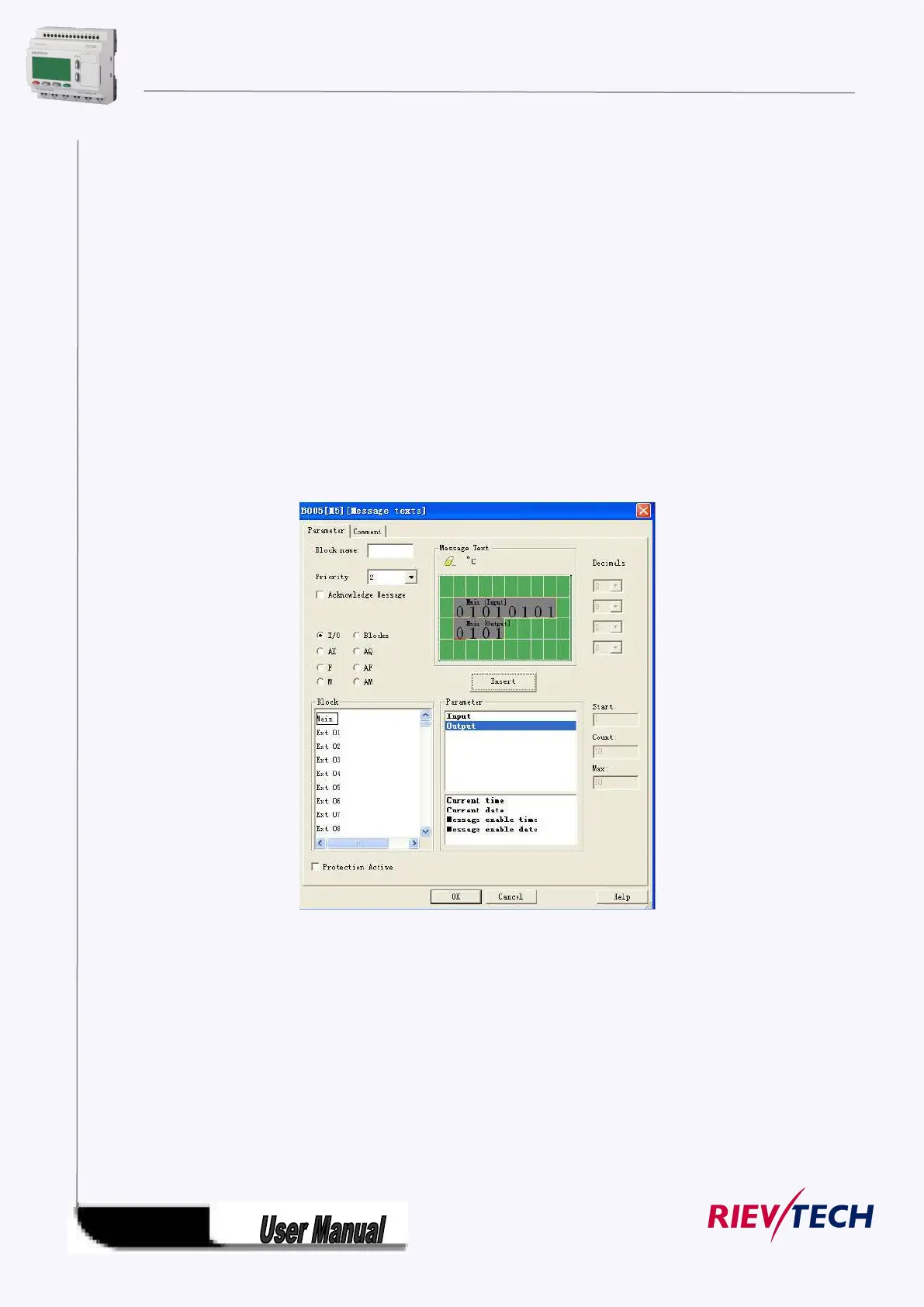
The message text can be configured in the block properties dialog. You can enter up to 4 lines for each
message text (the text display of the xLogic has 4 x 16 characters) and set the priority. You can move to
the next line using the cursor keys or the mouse. Hit the [ENTER] key to confirm all your entries in the
block properties dialog and to close the dialog.
You may also enter the actual values of other blocks in the text lines. To do so, select the relevant block
from the Block dialog. A Parameter dialog opens to display a list of all parameters available for the
selected block. The block parameter you select in this dialog is written to the selected text line. The actual
parameter value is now included when you call the message text.
Set the "Acknowledge message" attribute to specify whether a message is be acknowledged before it
is closed.
A. I/O status of CPU and extensions
B .Blocks



 To Next Page