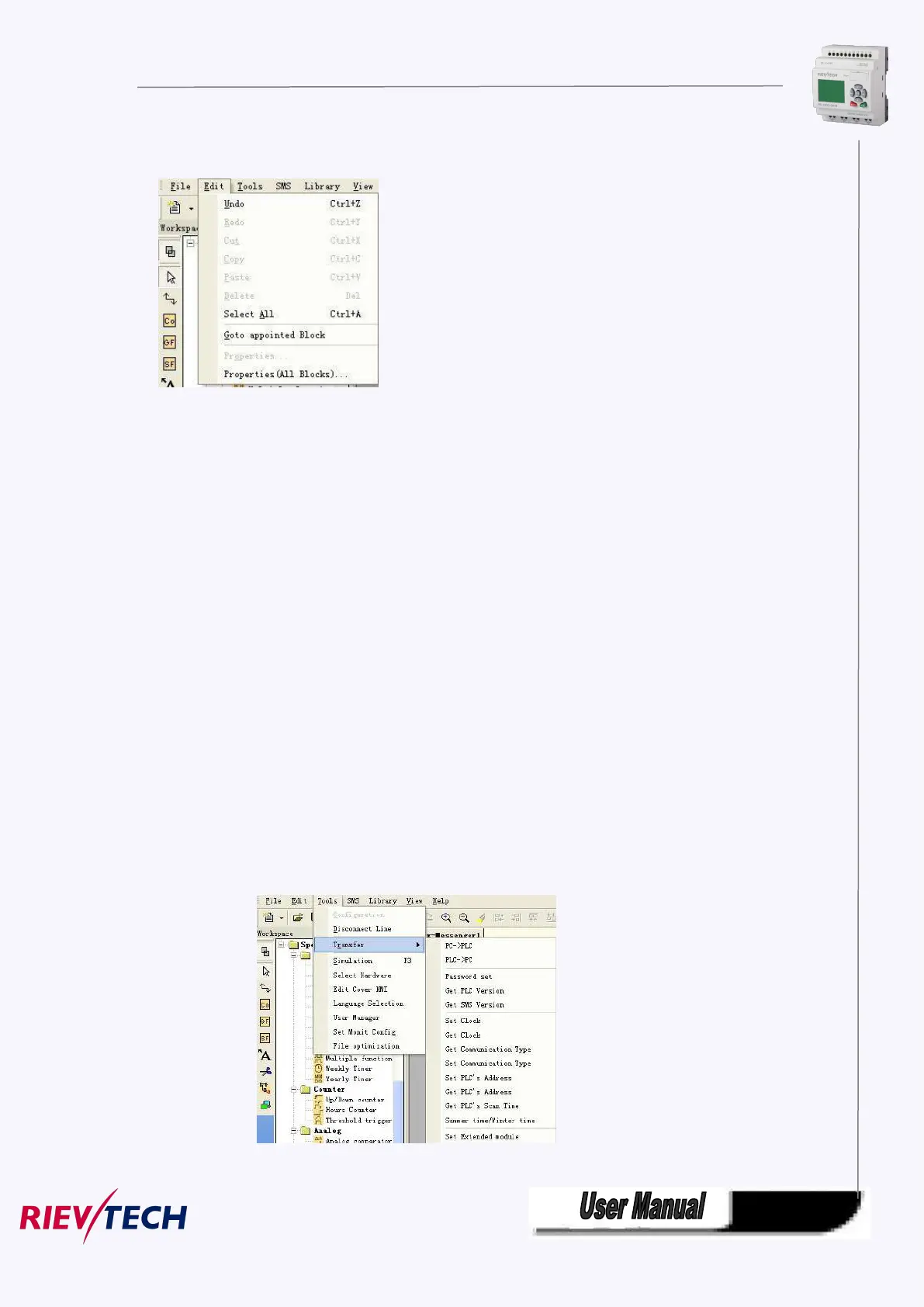
5.8.1.2 Edit
Fig. 10.2 Edit Menu
※ Undo: Undo the previous step operation and support consecutive operations.
※ Redo: Recover the contents undone by the previous step of operation and support consecutive
operations.
※ Cut: Cut the contents in the area highlighted with the cursor.
※ Copy: Copy the contents highlighted with the cursor.
※ Paste: Paste the contents cut or copied.
※ Delete: Delete various graphic components.
※ Select All: Select all the contents in the current window editing box and setup the label.
※ Goto Apponited block: Goto the apponited block in the program interface.
※ Property: open the property box of the apponited block
※ Properties (all blocks): Open all the property boxes of the selected blocks.
※ Phonebook: Add/Delete phone number into phonebook Refer to the chapter 6.5.2 .
5.8.1.3 Tools
This instruction is mainly used for reading program from xLogic, writing program to xLogic, diagnosis the
communication situation of xLogic, program management and simulation and so on. The pull down menu
of Tools is shown as the following:



 To Next Page