6.8 Establish communication between CPU and xLogicSoft/SCADA via Ethernet.
Note:
1. Ethernet CPU can communicate with Touch screen/SCADA via LAN port.
2. Communication protocol is Modbus TCP.
Here. we only introduce how to establish the connection between CPU and xlogicsoft via Ethernet?
1.Connect the ELC-12DC-DA-R-N as the first part, and configure as the first part.
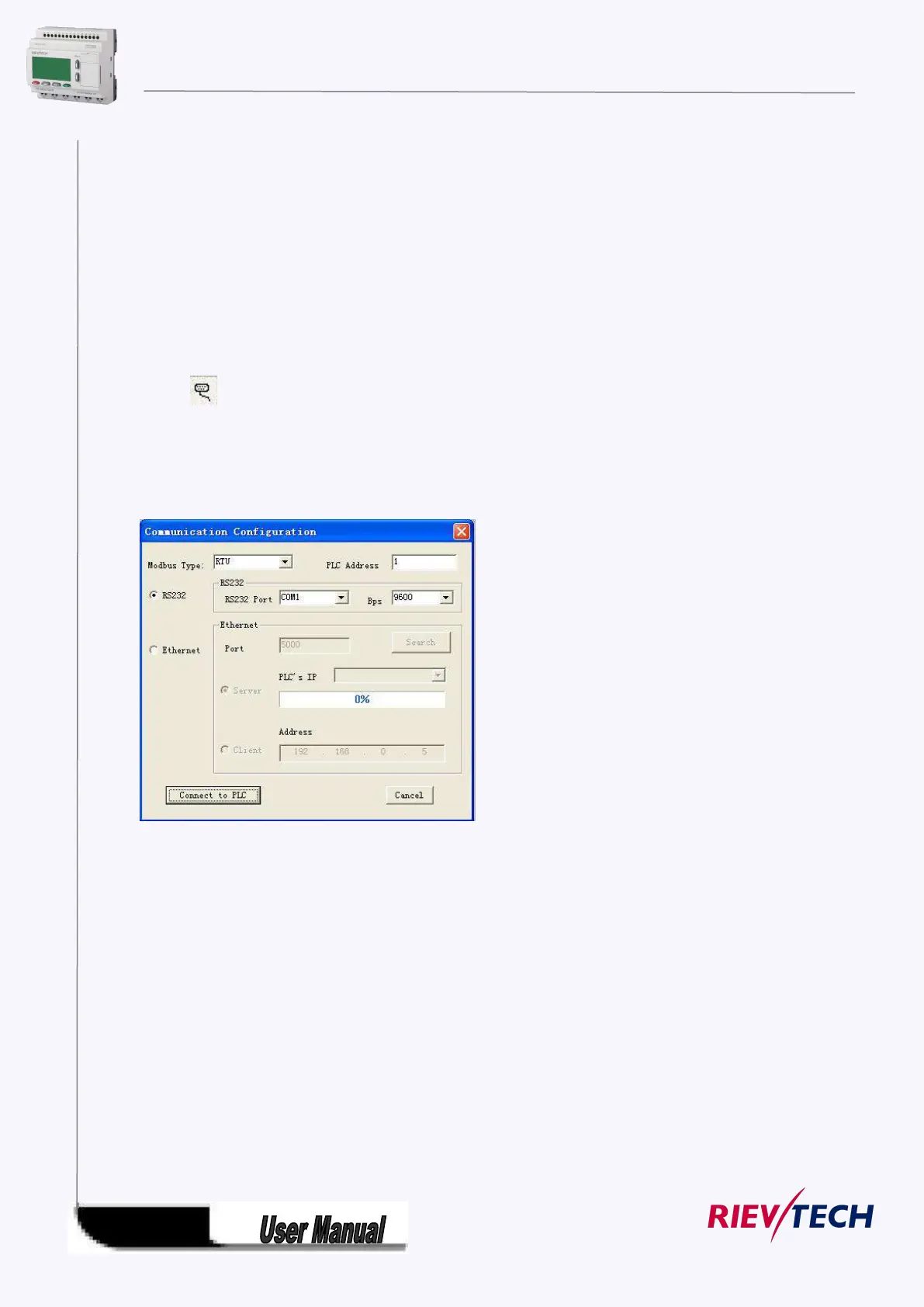
2. Here are two options to open “COM PORT”:
A. click symbol B. select menu Tools->Configuration
Option 1: Ethernet module in ELC-12DC-DA-R-N works under TCP client mode, xLogicsoft
software acting as server .
3.Select “Ethernet” option



 To Next Page