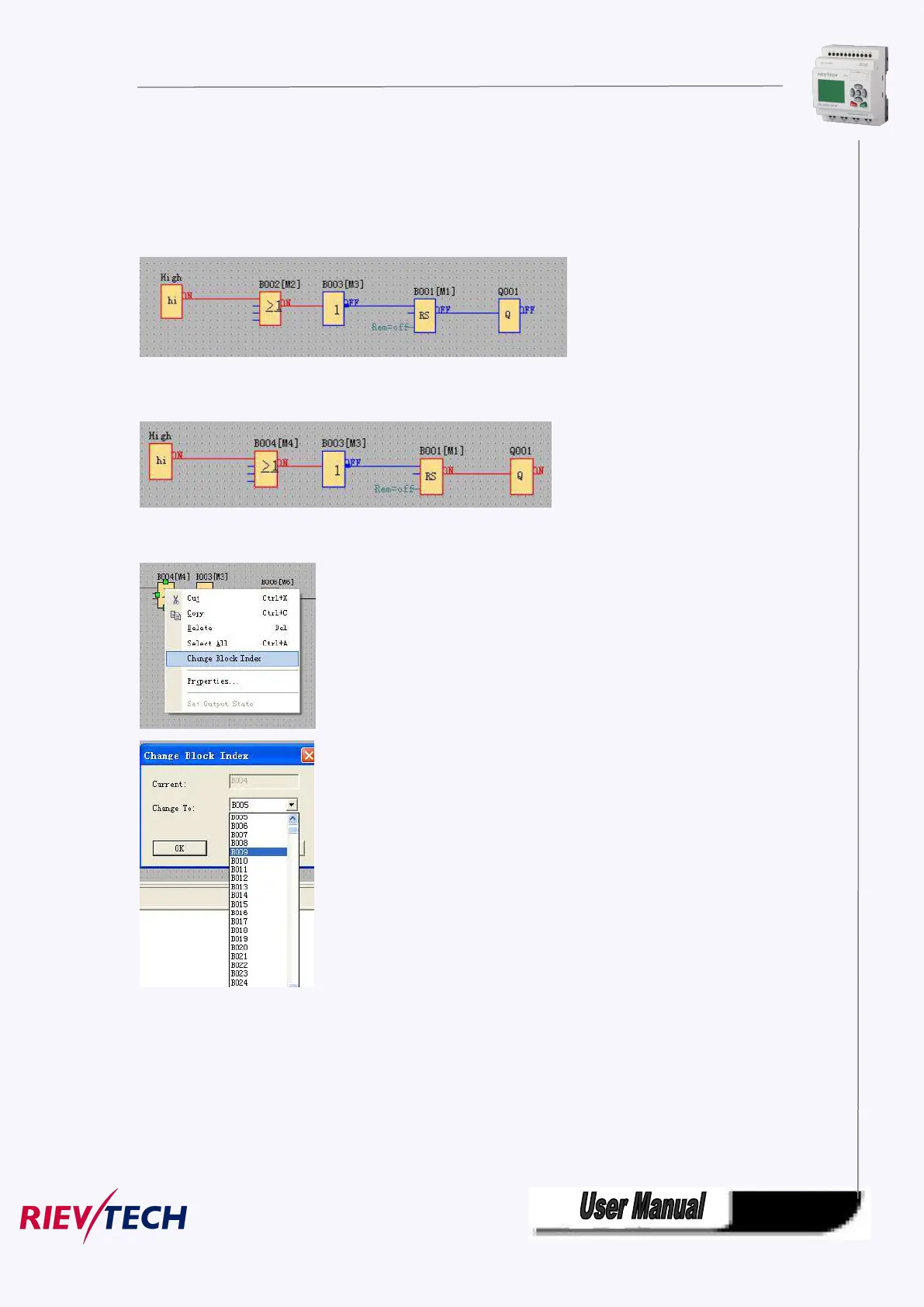
5.9.2.5 Change block index
In a program cycle, the block with little number will be run before the block with big number.
For example, The below program, the run sequence is B001,B002,B003, the Q1 cannot get
high.
If I change the B002 to B004, the Q1 will get high in first. The program run sequence is
B001,B003,B004.
You can change the block number with clicking the block by right key and select the “change
block index” option, then change to other block number.
5.10 Simulation Running
xLogicsoft could edit function diagram, and perform function of simulation operation.
After you finish the edit, you can start the function of simulation operation, to
examine program to see if it performs your control logic or not.



 To Next Page