Operation Method:
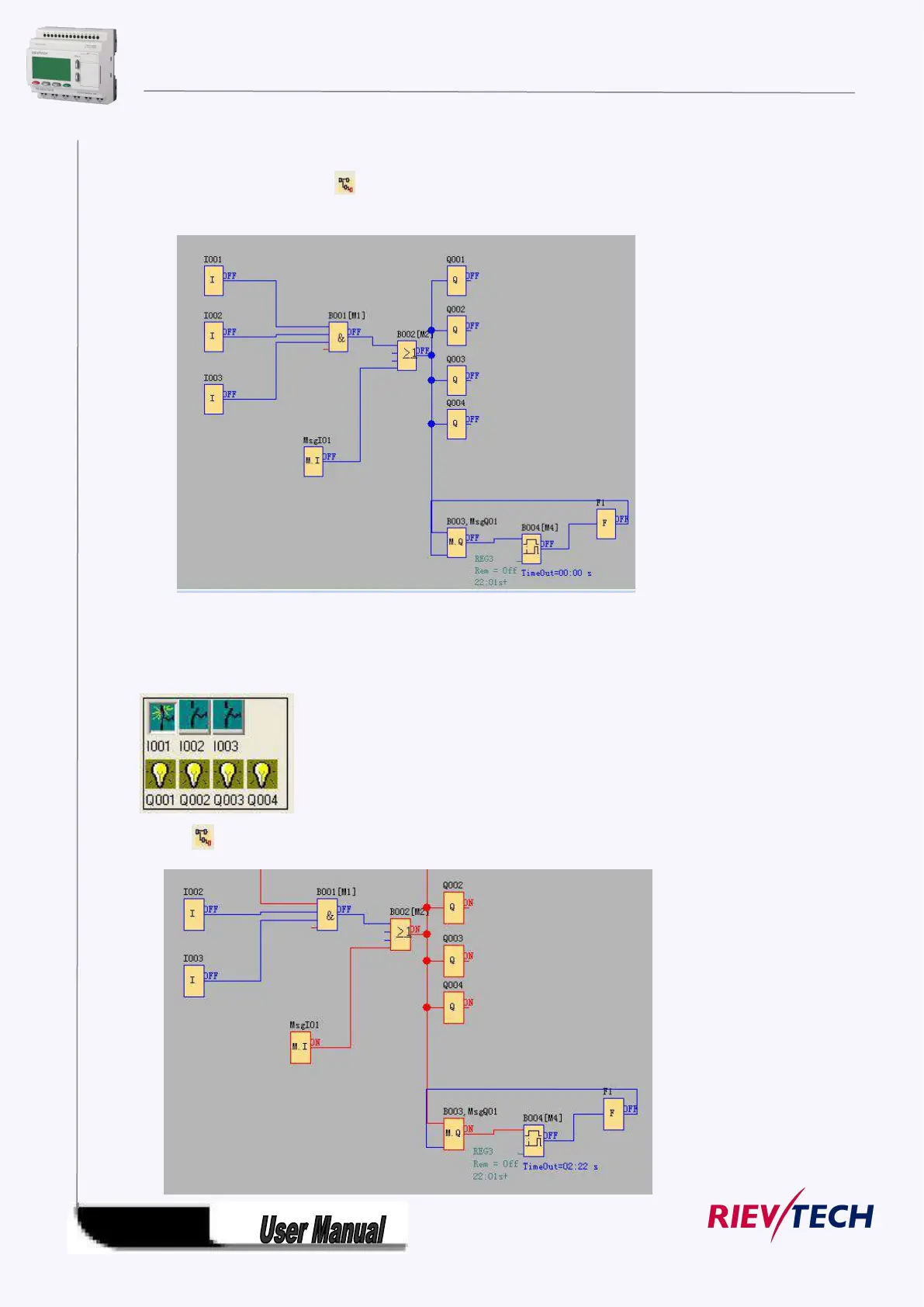
1.Click “Simulation” under the menu “Tools” with left button of the mouse . It’s time to start
program of simulation, or click “ ” in the simulation toolbar with mouse, and it also can open
simulation operation interface. It shows as Fig. 11.9.
Fig. 7.10.6 Start simulation
2. Click input block with mouse. It can change the state of input, state displays “ON” and “OFF” in the
output point of the module, so you can observe the state of input or output.
3. Click button again, to terminate the operation function of the module.



 To Next Page