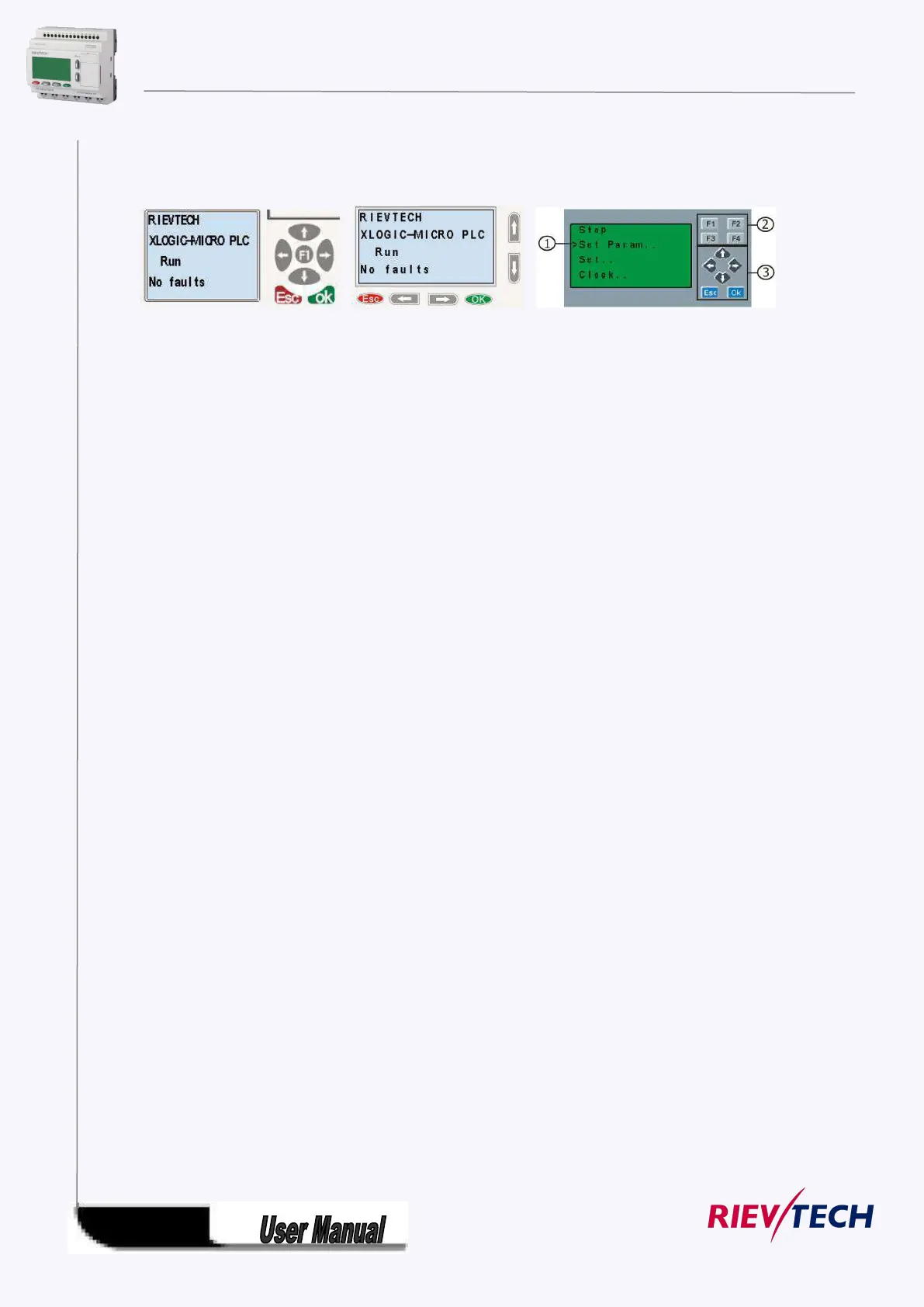
4.2 LCD panel instruction
PR-12 Series CPU PR-18 Series CPU ELC-22 and ELC-26 series CPU
1. Display area: 4x16 characters can be displayed
2. 4 X Function key: operate the program by pressing down these key (Only for ELC-22-N and PR-24
series CPU, invalid for PR-12 and PR-18 series CPU;F1--F4 are all available on ELC-43TS)
3. 6x Panel key: you can modify the parameters, programming, view alarming message.
What this operate panel can do for you?
1. Display the RUN/STOP status of the CPU
2. Display or modify the Clock.
3. Display the IO status of CPU& extensions
4. Display all kinds registers value(AI/AO, Parameters of blocks etc)
5. Display multiple alarming messages
6. Modify the parameters of blocks
7. Backlight can be controlled via programming(Light on Alarm)
8. System cover message can be customized
9. Up to 64 different alarming messages is allowed.
10. The CPU address can be modified
11. Set password protection
12. Change communication parameters for COM port
……..
Menu shows:



 To Next Page