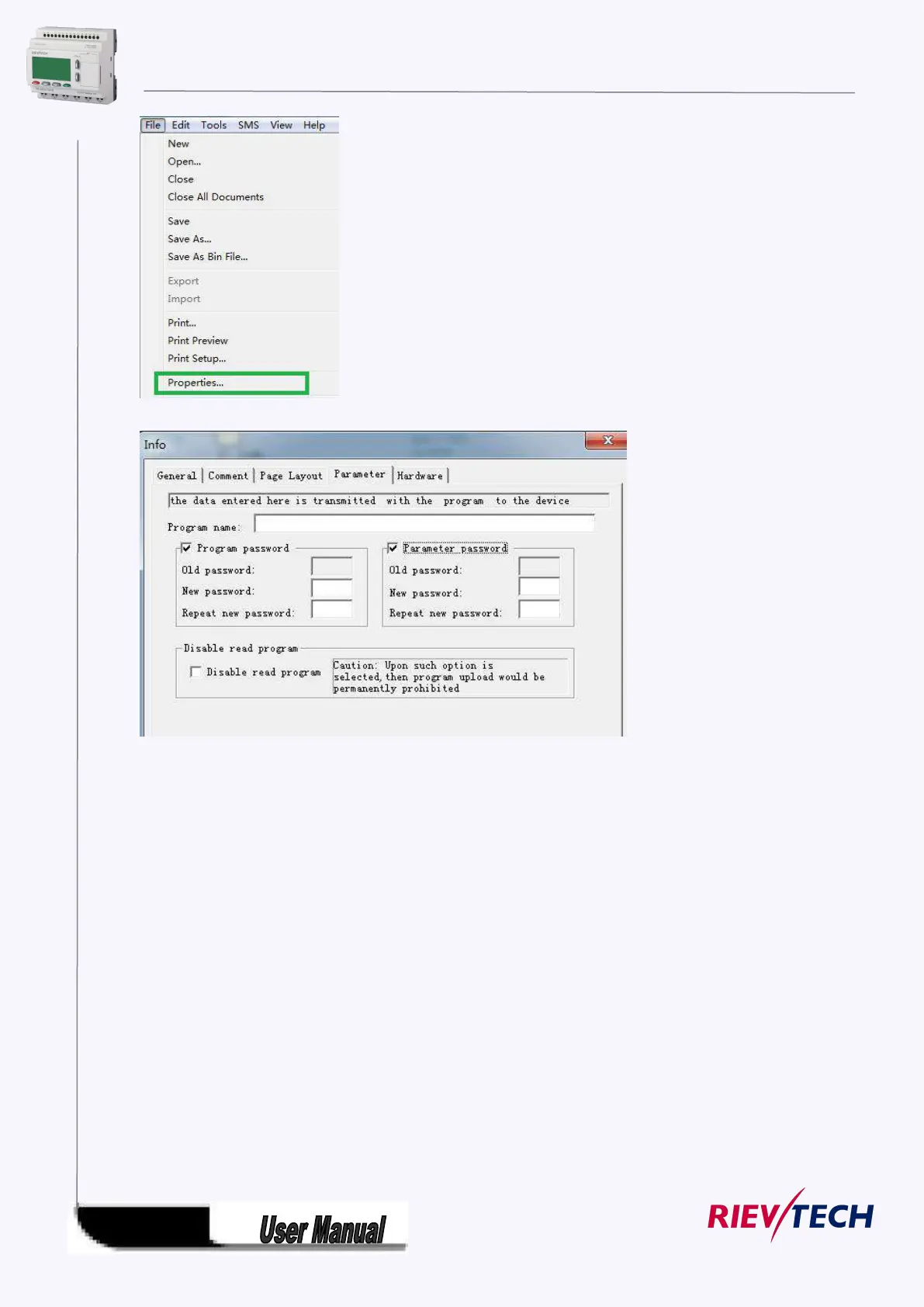
The menu File->Properties (Parameter)
There are 2 password settings can be applied to the program, one is the program password,
one is parameter password.
Program password:
If you set the program password, then the password is required when you want to upload the
program into PC.
Parameter password:
If you set the parameter password, then the password is required when you want to upload the
program into PC.
Note:
1.The password which set in the LCD menu is the parameter password.
2.The program password cannot be set in the LCD menu, it only can be set in xlogicsoft.
4.3.4 How to set address of CPU and expansion module
If there are more than one CPU in a certain communication network,well then the address of CPU must
be set differently each other. You can change the address of CPU via xLogicsoft, or via the panel key if the
CPU with LCD panel. The address range is from 1 to 247 for ELC and PR series CPU



 To Next Page