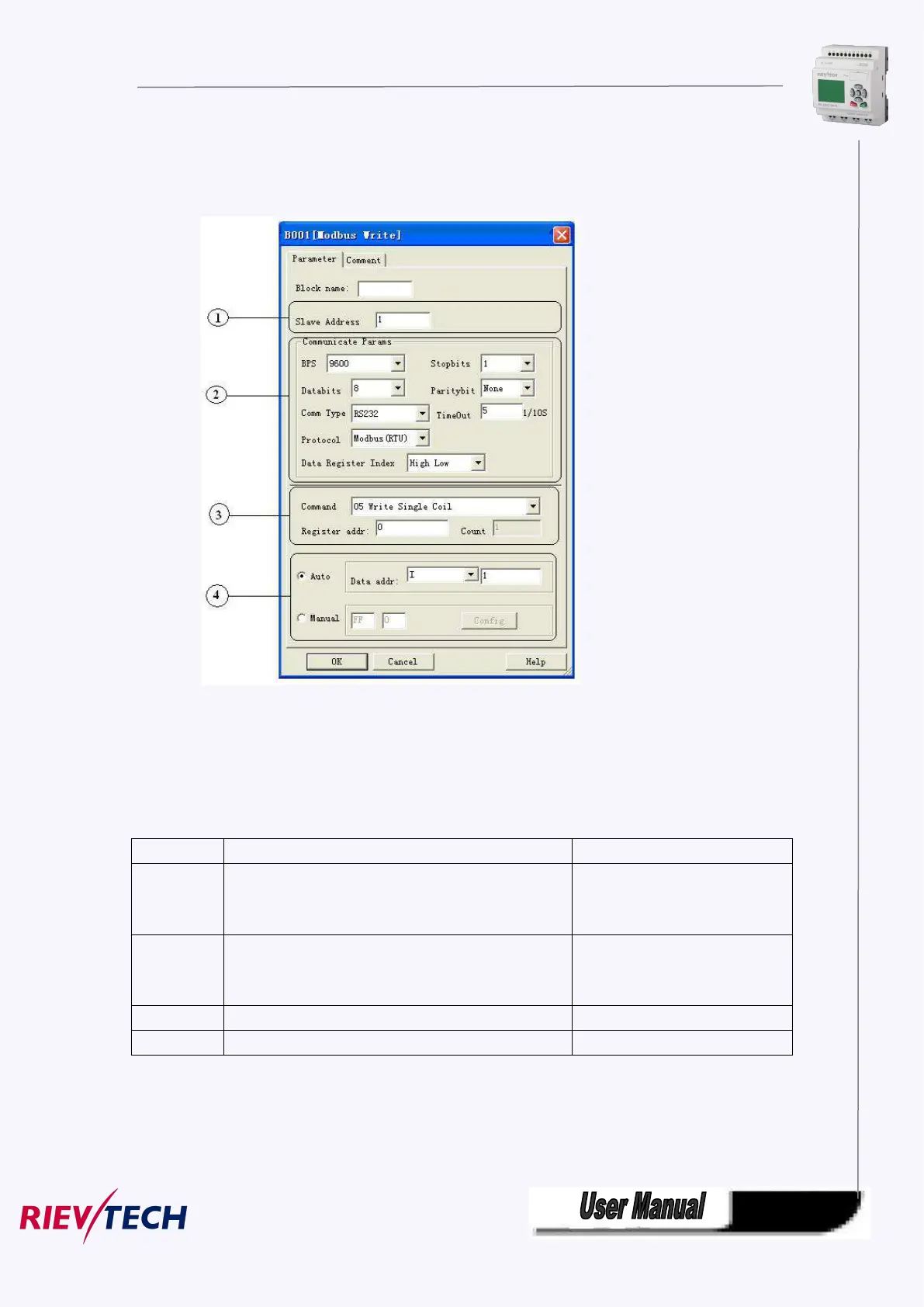
The Property in dialog box of “Modbus Write” shows as below figure:
1. Slave Address: 1 is default
2.Communication parameters:BPS is baud rate、Stopbits、Databits、Communication type: RS232、RS485 .
Actually RS232 or RS485 are just interface of xLogic.
3. Command, register address and register count
Force the switch status of single coil(00000~0XXXX)
Force Single Coil
(output)
Pre-set the data of single register
(40000~4XXXX)
Set single output register
Force multi-coils on/off bit(00000~0XXXX)
Write multi-holding registers data(40000~4XXXX)
4. Where is to save the pre-configuration data that would be written to Slave. It contains 2 kind ways to
pre-configuration. One is auto mode, this data uses the flags in the program, such as FM, AFM, I, Q and
AQ. The manual mode is input a fixed value or bit status.



 To Next Page