I. xLogic permits you to set up password for your Program. Only after input of right password, you can
write, read and modify your Program.
Operation method of setup password
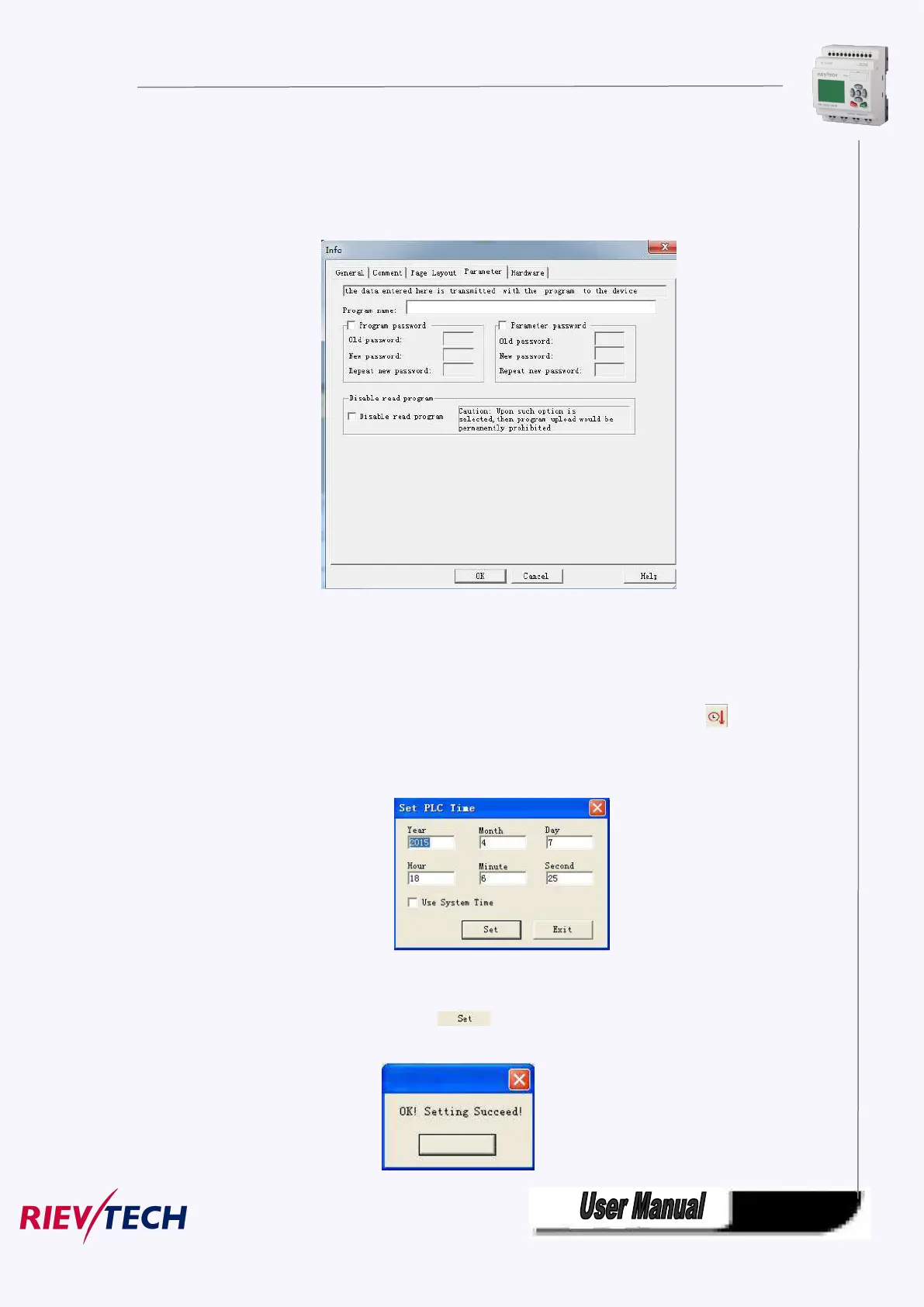
a. Click “File->Property” and select “parameter” option, then you can input the password into the dialog
box shown as Fig.7.10.11 appears:
Fig. 7.10.11 Set or modify program password
Program password and parameter password can be set here, and you can directly set the
parameter password by the panel on the CPU “Set..”->” Password”-> “Set password”
Operation Method:
c. Clink option “Tools->transfer->Set xLogic time” with left button of the mouse, or clink “ ” under
toolbar, dialog box appears shown as Fig. 7.10.12.
Fig. 7.10.12 Modify Time Interface
d. Display system time in this dialog box, click “ “, cue shown as Fig. 7.10.13 appears, to renew
time of xLogic succeed.



 To Next Page