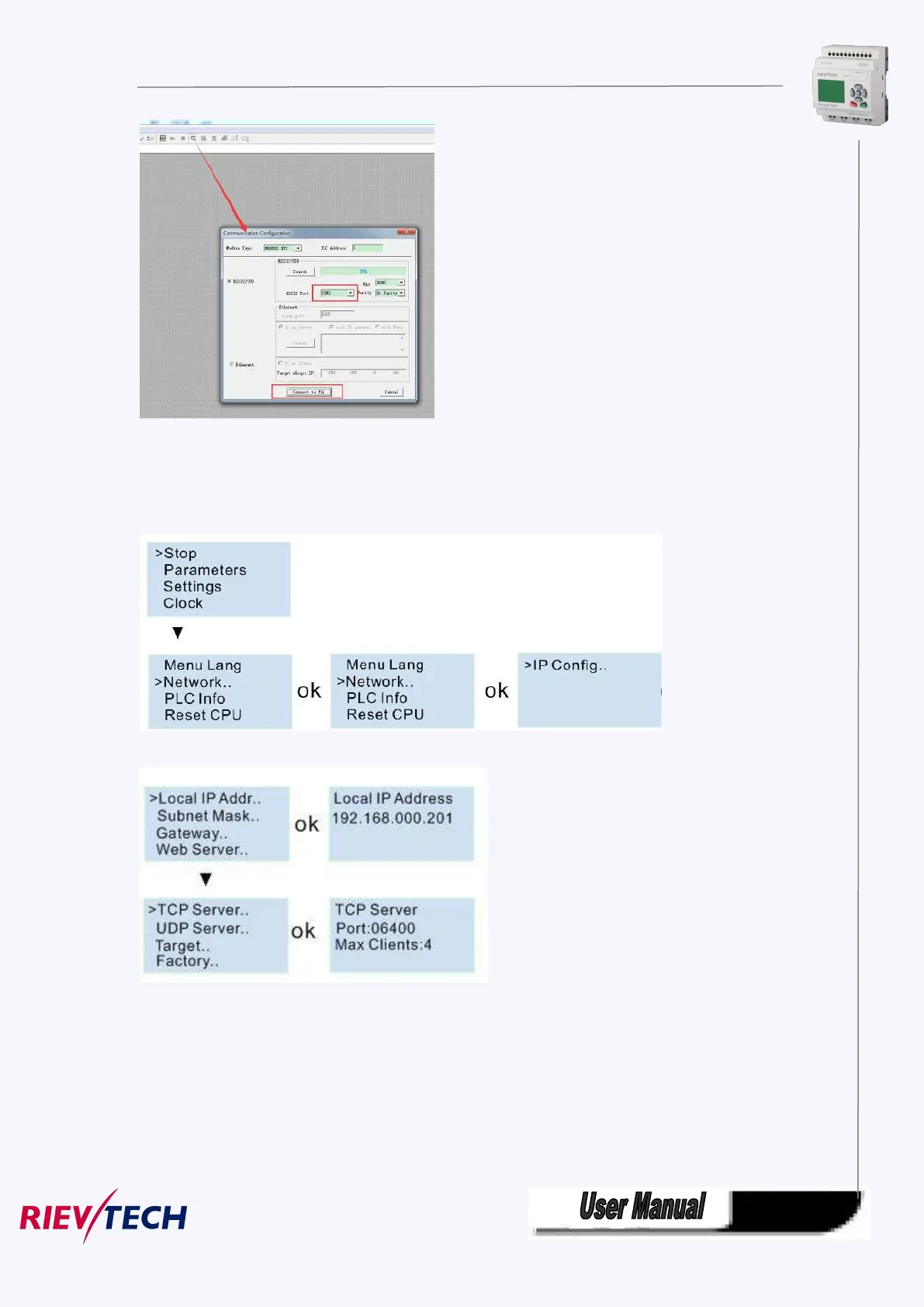
If you has no USB cable there, you can use the Ethernet connection.
First check the PLC address with LCD menu
Get the IP address from:
>Network -> IP Config.. -> Local IP ADDR.. -> Local IP (192.168.0.201)
Get the TCP server port from:
>Network -> IP Config.. -> TCP Server.. -> TCP Server Port (6400).
Then you can use the Ethernet option(PC as Client) to connect with CPU.
IP:192.168.0.245
Port:8008



 To Next Page