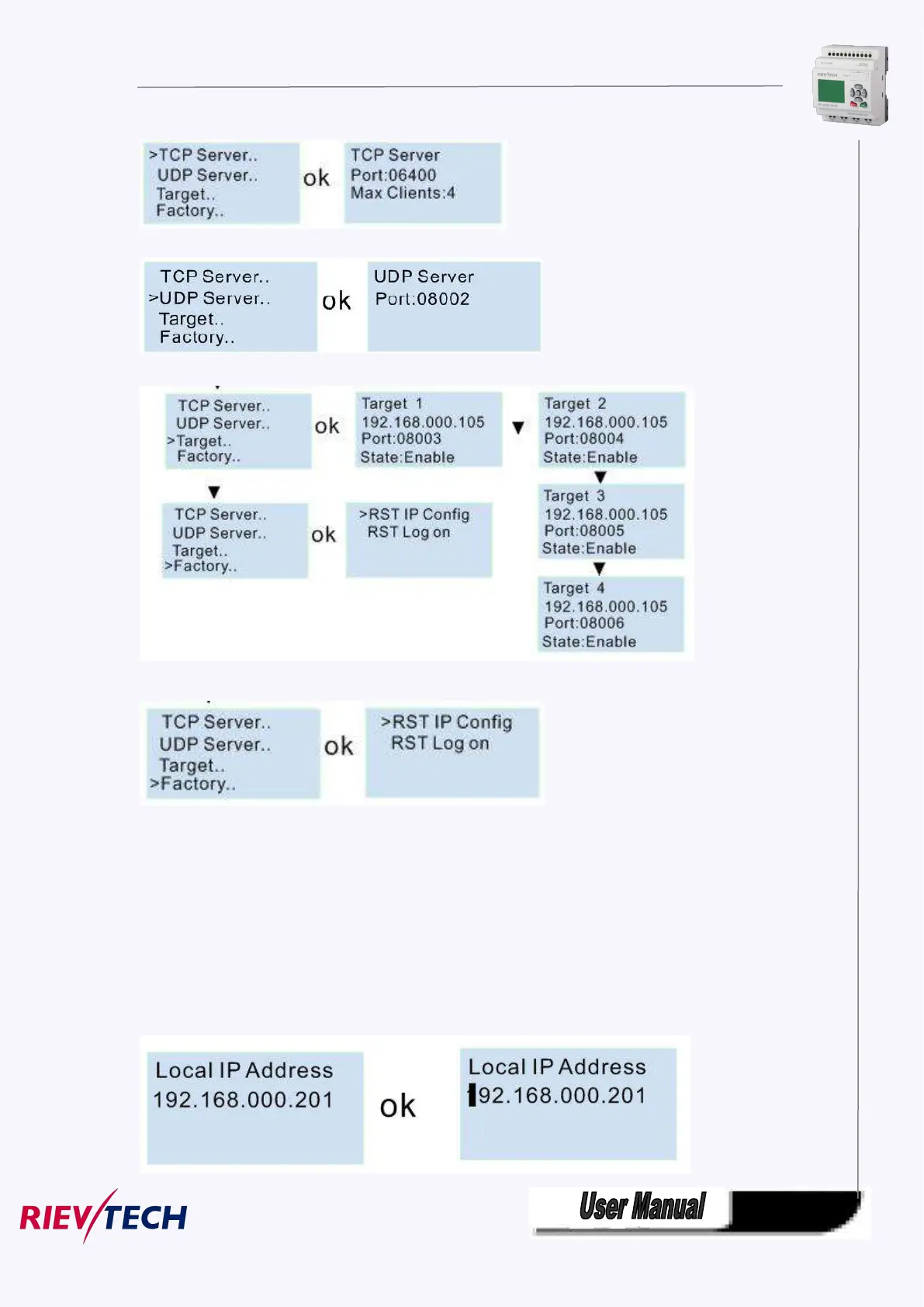
TCP server port settings and allowed tcp clients settings:
View and modify the UDP server from here:
Set the Target server IP address and port number:
You can make the IP settings to factory by the menu
“RST IP Config”, the IP address will return to 192.168.0.201, and the tcp server port number will be 6400.
“RST Log on” the webserver log on name and password will be back to “admin”.
Modify the IP address:
Press ok to enter into the modification mode, the cursor will flash at the address position. The you can
move the cursor by Left or Right button, and change the value by pressing UP/DOWN button.
At last confirm with ok.



 To Next Page