S0(make contact) Off button
S1(make contact) On button
S2(break contact) Flow monitor
S3(break contact) Flow monitor
xLogicSoft solution
The use of xLogic reduces the amount of switchgear. Thus, you save installation time and space in the
control cabinet. You may even be able to use as a smaller control cabinet.
With xLogic you can also switch off of the fans sequentially after the system is switched off.
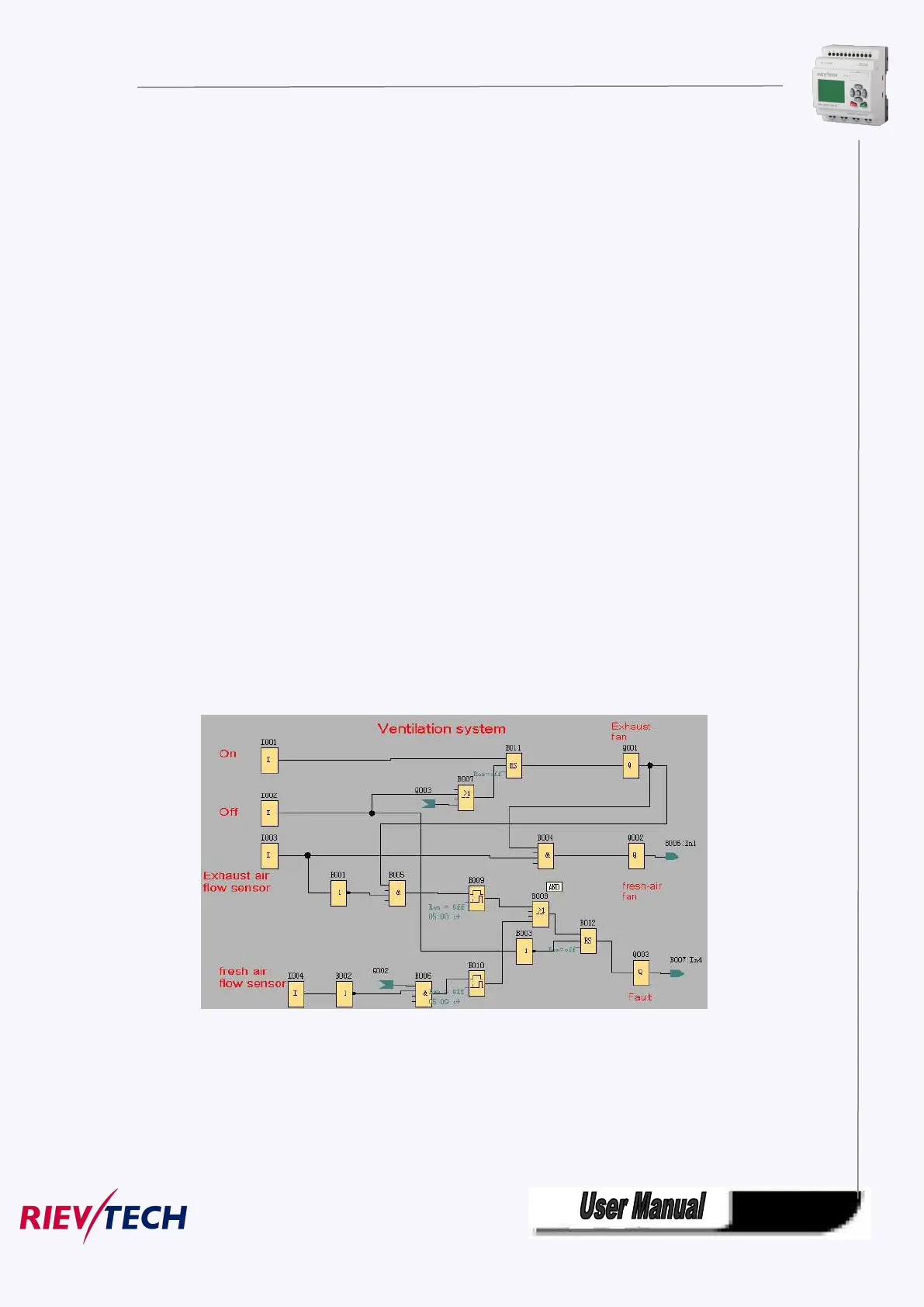
The circuit in xLogicSoft
The system is switched on and off at the inputs I1 and I2. The fans are connected to outputs Q1 and Q2,
the flow sensors are connected to the inputs I3 and I4. Blocks B07 and B10 are used to set the watchdog
times after which the flow sensors should send a signal to the fault output Q3.
You can invert output Q3 to use output messages at Q4. Relay Q4 only drops out if main power is lost or
if there is a fault in the system. The output can then be used for a remote message.



 To Next Page