1. Plastic slice
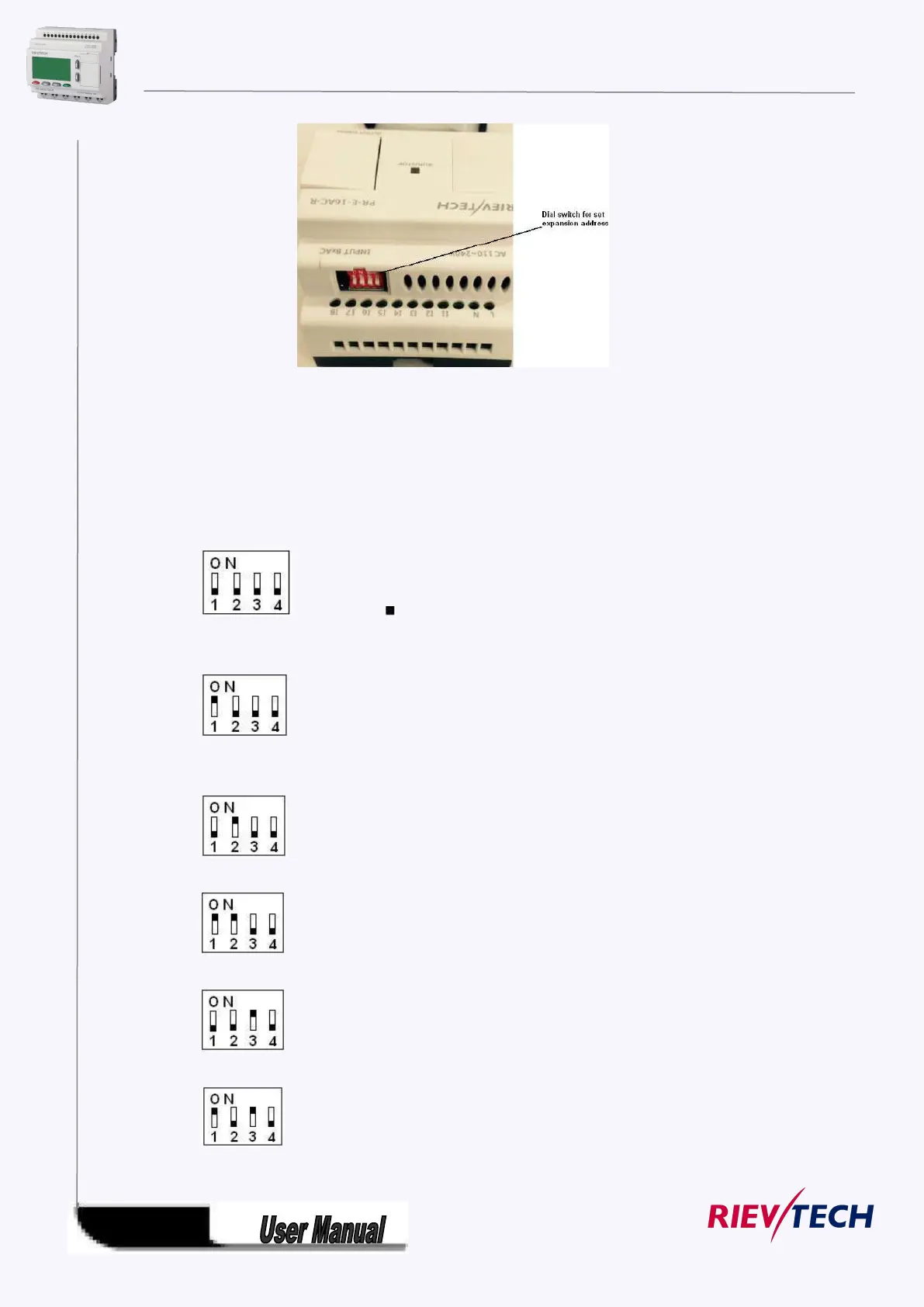
Step 1: Using a screwdriver , take the plastic slice down and we’ll find a dial switch.
2: Dial the switch as the below instructions to set the address what you need.
Up to 8 extensions (includes IO ,AQ,AI,PT100 modules) can be connected with the CPU .
The default address of PR-E extensions is 1 and the dial switch as below:
Address 1:
means the switch position
Address 2:
Address 3:
Address 4:
Address 5:
Address 6:
Address 7:



 To Next Page