Operation
Edition BE210202
03.2022
Rondostar 5000
Operating manual
102
5.11.4 Displaying the customer dashboard: via WIFI
Precondition:
• 5.11.1 Establishing the basic requirements
• 5.11.2 Connecting a machine to the WIFI
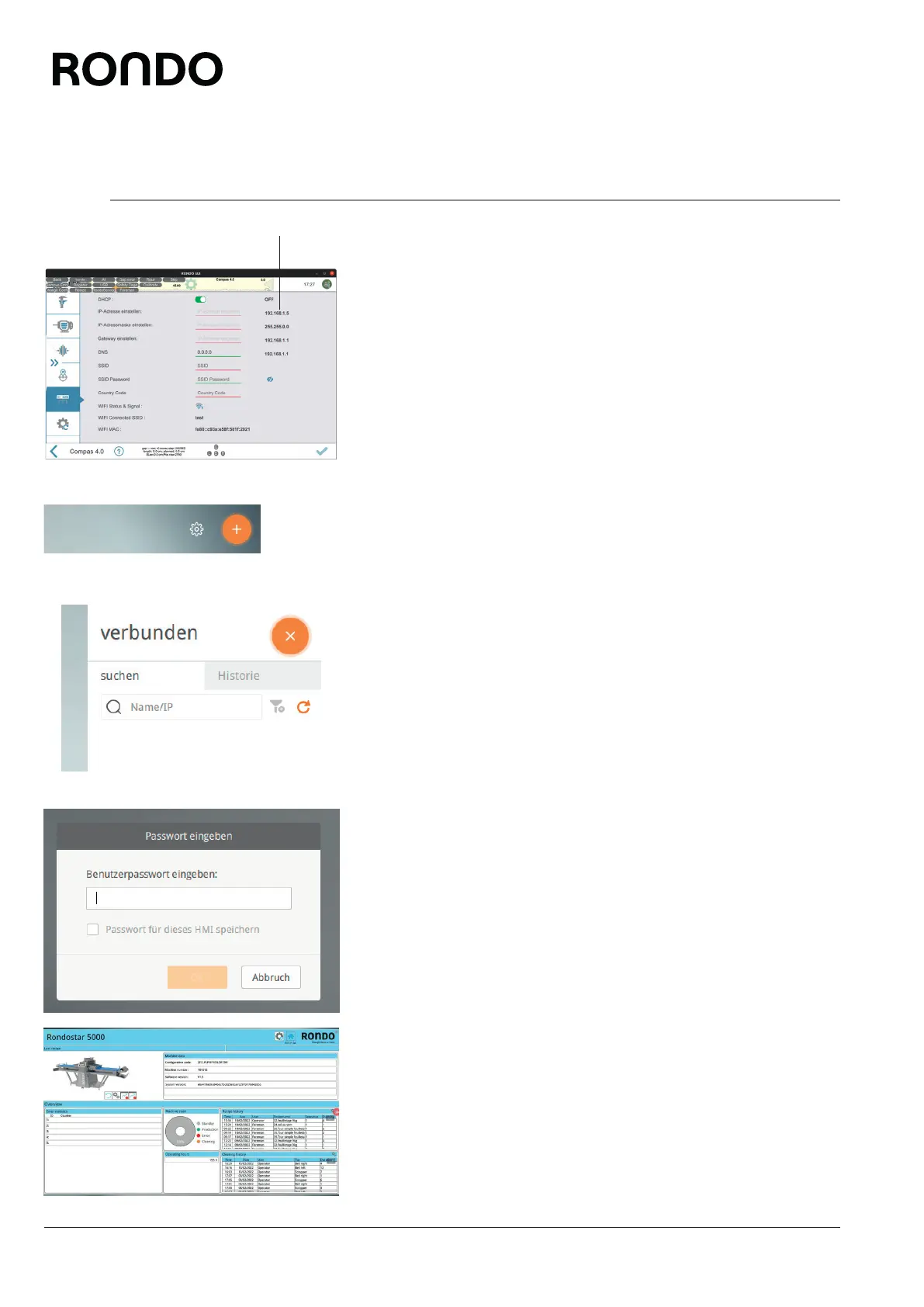
1. Open side tab.
2. Open the settings menu.
3. Tap Gateway.
4. Note the IP address (1).
5. Connect a mobile device to the WIFI.
6. Open the cMT-Viewer app on the mobile device.
7. Tap the plus icon in the top-right corner of the screen.
8. When accessing the dashboard from the mobile device for the first
time:
Enter the IP address you have noted and confirm with Enter.
9. When accessing the dashboard from the mobile device at a later
time:
Tap on the current IP address in the history and confirm with
Enter.
10. Enter the password 111111 and confirm with “OK”.
11. Wait until the customer’s dashboard is displayed.
1



 To Next Page