Maintenance
Edition BE210202
03.2022
Rondostar 5000
Operating manual
127
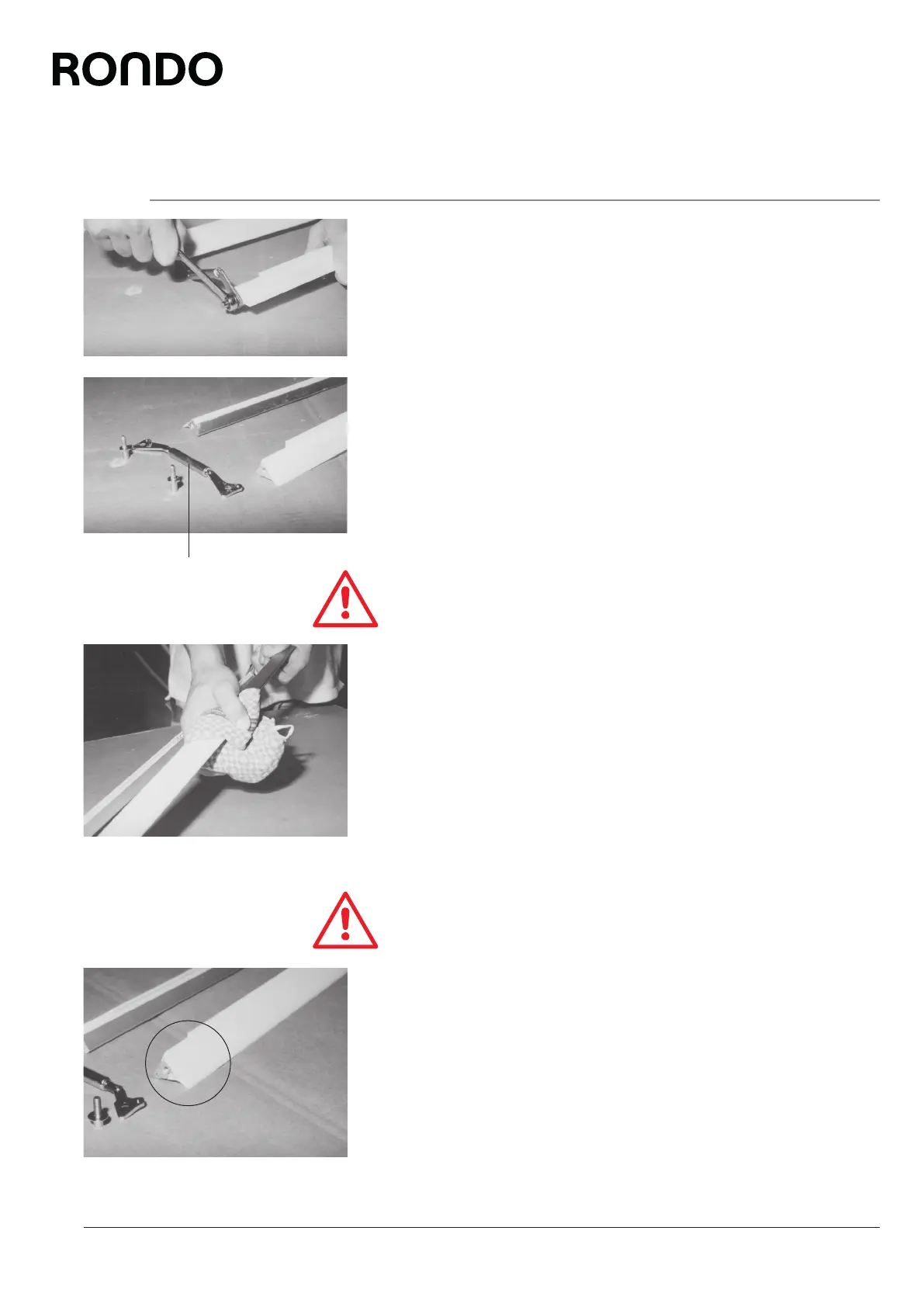
7.4.6.2 Replacing the scraper blade
1. Using an A/F 13 spanner, dismount the spring compressor (5) on
the left or right side and carefully push out the scraper blade.
Caution
Use a cloth to protect your hands, as the edges of the scraper
blades are sharp and there is a danger of cuts.
2. Mount the new scraper blade in the reverse order.
Caution
Make sure that the scraper blade is mounted with the side bevels
on the lower, i.e. clear anodised, scraper holder!
3. Remount the spring compressor in the reverse order.
5



 To Next Page