Operation
Edition BE210202
03.2022
Rondostar 5000
Operating manual
103
5.11.5 Using the customer dashboard
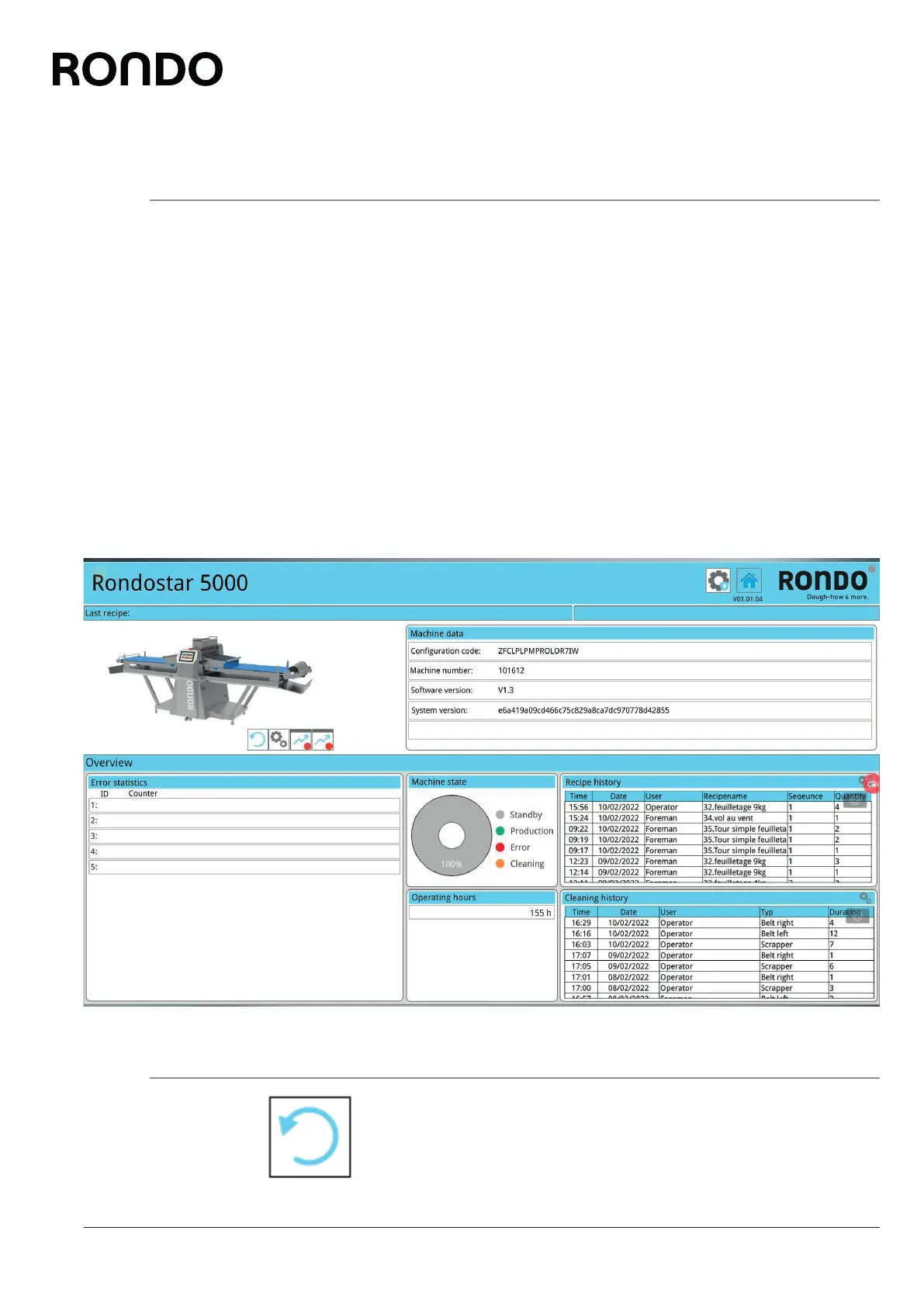
The customer dashboard shows the current machine data for the last
30 days. It offers the following benefits, but this list of benefits is not
exhaustive:
• The recipe history shows which products were produced when
and by whom.
• The cleaning history provides proof of compliance with hygiene
regulations.
• The operating hours counter and machine state show how high
the productivity of the machine is. Furthermore, they provide the
basis for preventive maintenance and optimal operation of the
machine.
• Error statistics and chronological diagrams of various machine
components can assist with error analysis and lead to quicker
troubleshooting.
5.11.5.1 Operating elements
It is possible to zoom in on certain elements of the customer dash-
board. To return to the initial overview, tap the three-quarter circle icon.



 To Next Page