Transporting, setting up, connecting, dismounting and storing the device
Edition BE210202
03.2022
Rondostar 5000
Operating manual
45
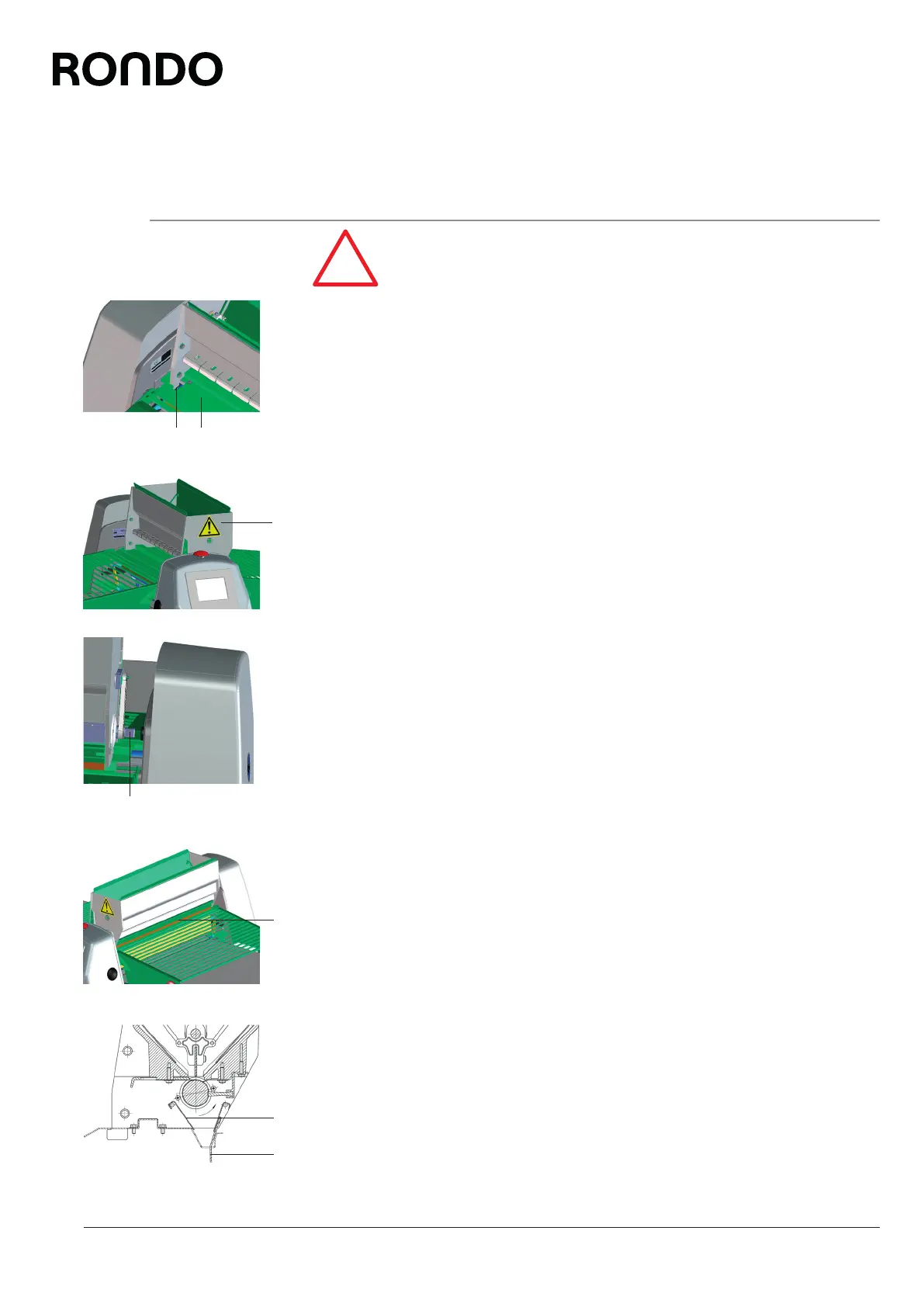
2.5.12 Mounting the automatic flour duster
[variant SSH670**.*][standard SSH672***.*, SSH673***.*]
Remove all remaining protective films from the machine.
1. Remove protective film from the cover plate (1).
2. Place the automatic flour duster (3) on the cover plate.
3. Insert the automatic flour duster into the two recesses (2) in the
cover plate.
4. Push the automatic flour duster towards the rear.
5. Turn the delivery roller (5) until the driver (4) can be inserted into
the holding device and the automatic flour duster engages with
the protruding catch of the cover plate.
6. Hook the flour apron (7) and protective cover (6) in the correct
position.
26
2 1
3
4
5
6
7



 To Next Page