Maintenance
Edition BE210202
03.2022
Rondostar 5000
Operating manual
120
7.2 Software updates
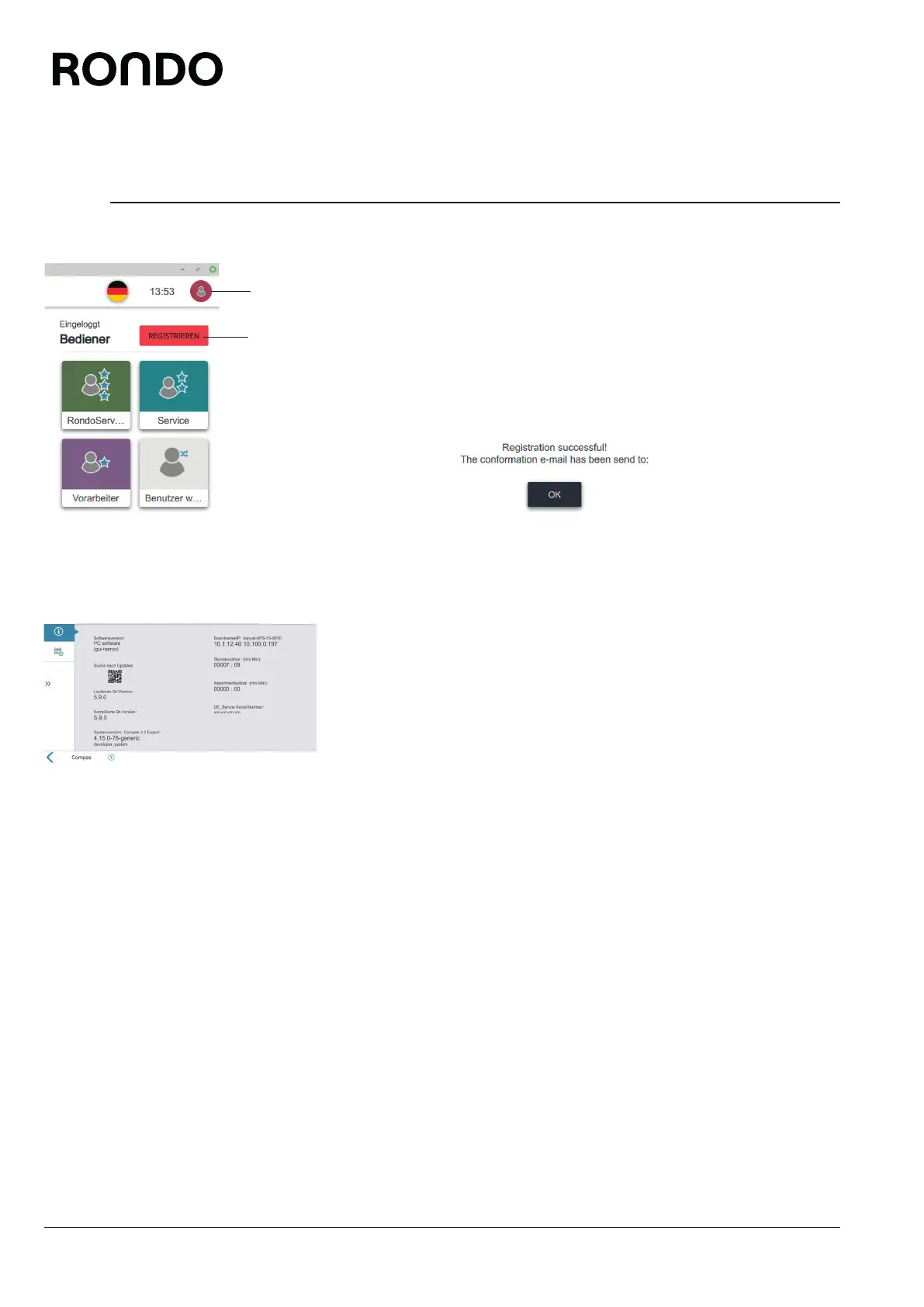
RONDO provides software updates once a year. If you register, RON-
DO can actively inform you about new software updates.
1. Tap the person icon (1).
2. Tap the register button (2).
3. Provide your personal details.
4. Follow further instructions where applicable.
► The register button disappears.
► Your registration will be confirmed by email.
Alternatively you can check whether the software is up to date.
5. Open side tab.
6. Open the settings menu.
7. Tap system information.
8. Scan the QR code with a mobile device.
9. Follow further instructions where applicable.
► Any applicable software updates are indicated.
2
1



 To Next Page