User Manual Roth EnergyLogic Touchline/Wireless
Commissioning and operation
P100011294 E 61
7.3 Change setpoints
7.3.1 Set room temperature
B12708
The wireless room thermostat is in stand-by mode.
► Press any button on the wireless room thermostat for 2 seconds.
► The display changes into operation mode. The setpoint blinks.
► Press sensor button
or , to change the setpoint.
► Press sensor button
to confirm the new setpoint.
– If no sensor button is pressed, then the new setpoint will be automati-
cally saved after 5 seconds.
– To interrupt this procedure press the sensor button
. The new set-
point will not be saved.
► If no sensor button is pressed, the wireless room thermostat returns into
stand-by mode.
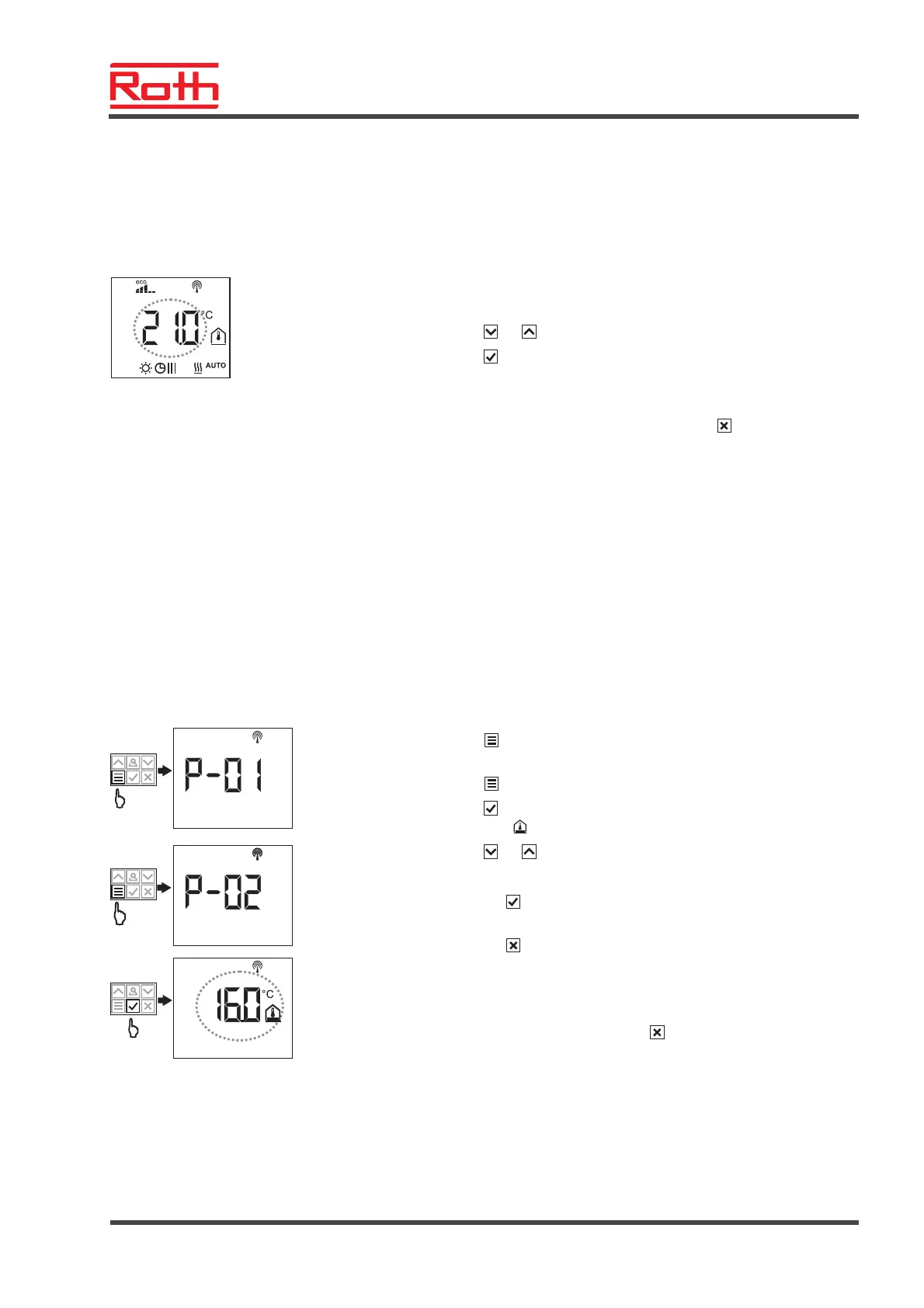
7.3.2 Set floor temperature
B12707a
> 5 s
SET TEMP
The setting of the floor temperature is only available for the type with IR floor
temperature measurement.
The wireless room thermostat is in stand-by mode.
► Press any button on the wireless room thermostat for 2 seconds.
► The display changes into operation mode. The room temperature setpoint
blinks.
► Press sensor button
5 seconds to enter the user menu. The display
shows P01.
► Press sensor button
. The display shows P02.
► Press sensor button
. The display shows the setpoint for the floor tem-
perature and the symbol
.
► Press sensor button
or , to change the setpoint.
► Select one of the following options:
– Press sensor button
to confirm the new setpoint. The display shows
P03.
– Press sensor button
, to interrupt the procedure. The new setpoint is
not saved. The display shows P02.
– If no sensor button is pressed, the wireless room thermostat returns into
stand-by mode after 1 minute. The new setpoint is not saved.
► To leave the user menu press sensor button
. The display shows the
operation mode.



 To Next Page