User Manual Roth EnergyLogic Touchline/Wireless
Installation
32 P100011294 E
5.2.2 Wireless room thermostat with display
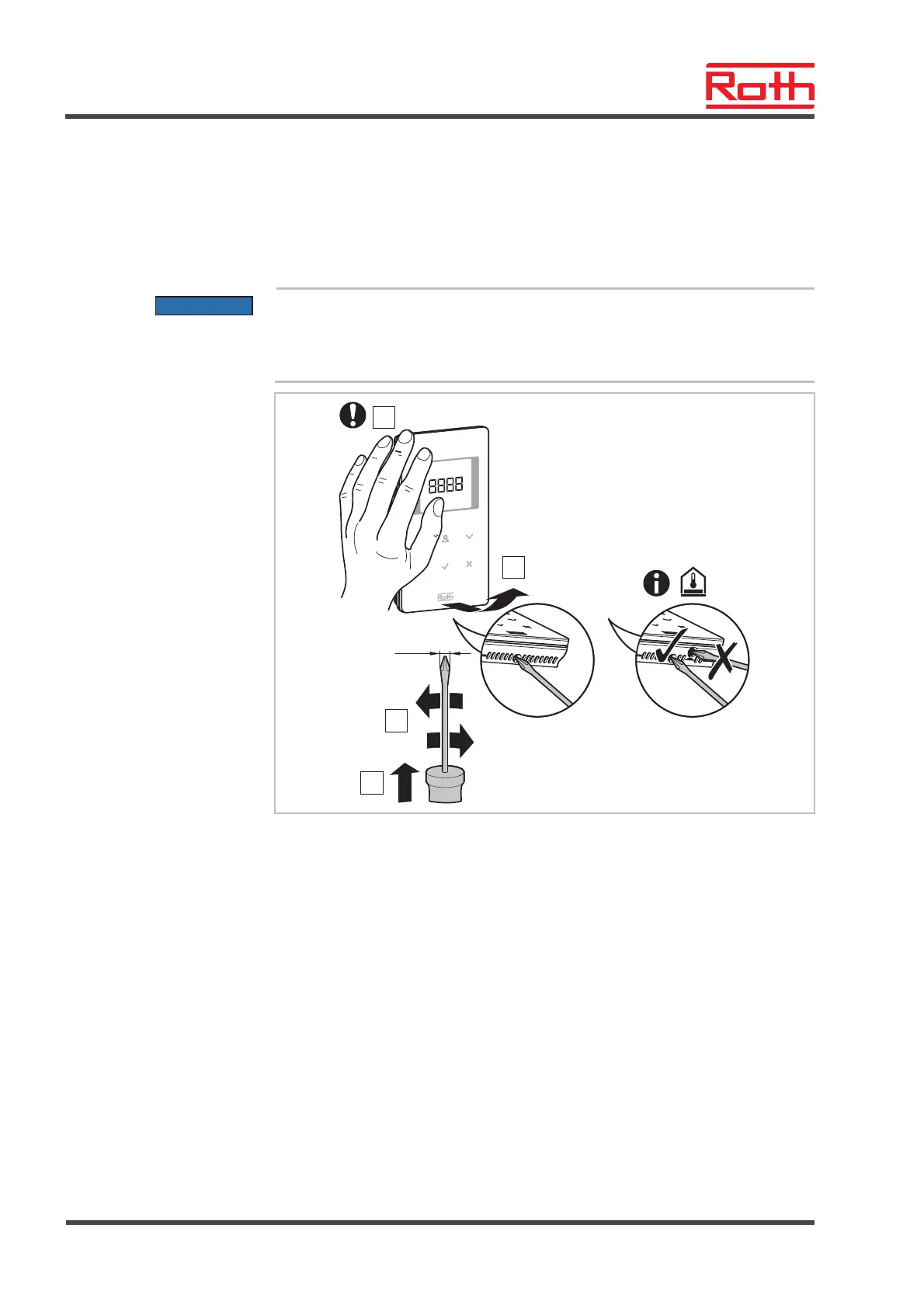
Open wireless room ther-
mostat
► Hold the cover of the wireless room thermostat with one hand.
► Open the cover by applying a 5 mm Phillips-tip screwdriver in the hole.
► Remove the cover.
ATTENTION
Damage due to improper opening!
– Please hold the cover tight while opening the wireless room thermostat.
– Use the correct hole for opening the wireless room thermostat with IR
sensor as shown below.
3
1
B12245a
4
5 mm
IR
2
Fig. 14: Open the wireless room thermostat



 To Next Page