User Manual Roth EnergyLogic Touchline/Wireless
Parameter descriptions
P100011294 E 75
9 Parameter descriptions
The menu is divided in a user menu and a service menu. The user menu is
freely accessible. The service menu can only be entered through a service
code.
NOTE
Parameters can only be set by a wireless room thermostat at the same
time. Once an attempt is made to set parameters via another room ther-
mostat at the same time, the display shows the following symbol
.
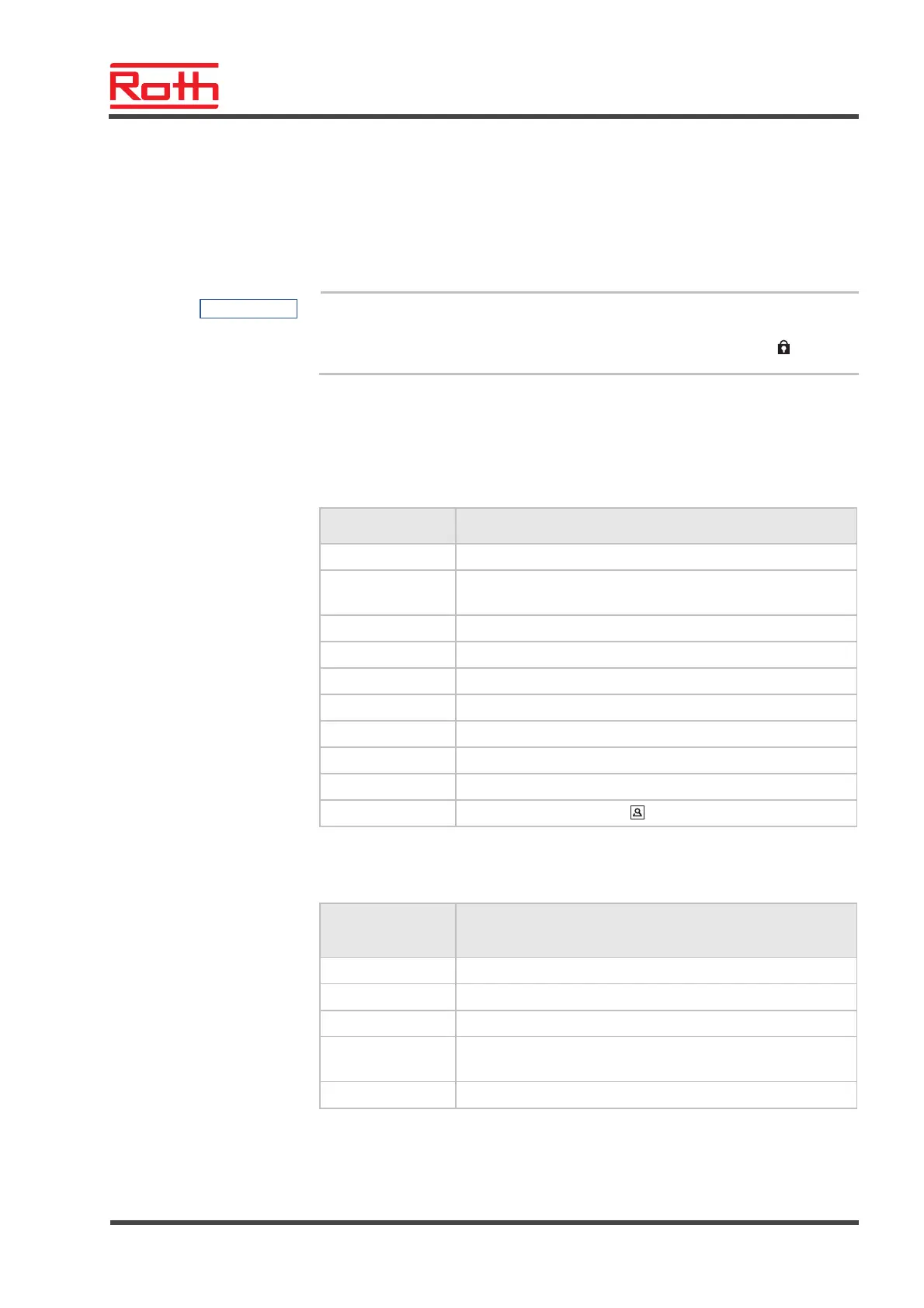
9.1 Parameter overview
User menu
Parameter Description
P-01 Set display in stand-by-mode: actual value or time.
P-02 Set setpoint for the minimal floor temperature.
(only for versions with integrated IR-sensor)
P-03 Set upper and lower limits for room temperature setpoint.
P-04 Change time programs.
P-05 Reset time programs to factory settings.
P-06 Set display for stand-by-mode. (max. battery saving mode)
P-07 Activate or deactivate sound of sensor button.
P-08 Show ID-number of wireless room thermostat
P-09 Show ID-number of wireless connection module
P-10 Function for sensor button parameterisation.
Service menu
P-20
General parameters
Parameter Description
P-SE Access only with service code, factory settings "1234"
P-21 Show software-version of wireless room thermostat
P-22 Show software-version of wireless connection module
P-23 Show actual status of wireless connection module and I/O-
Box
P-24 Reset parameter to factory settings.



 To Next Page