User Manual Roth EnergyLogic Touchline/Wireless
Commissioning and operation
72 P100011294 E
Specify duration
(party function)
The duration for the function of the sensor button
is set as follows:
► Press the sensor button
for 2 seconds. The display shows P-0H.
► Press the sensor button
of to set the time. Maximum value: 9 hours
(display P-9H). Minimum value: 1 hour P-0H. When selecting "0" the func-
tion is deactivated.
► Press the sensor button
.
The party function can be cancelled with the sensor button
.
Procedure for
direct switching
heating/cooling
► Press the sensor button
for 2 seconds. If the wireless connection mod-
ule is in heating mode, the display shows COOL and the icon
flashes. If
the wireless connection module is in cooling mode, the display shows
HEAT and the icon
flashes.
► Perform one of the following steps:
● Press the sensor button
or wait for 10 seconds. The wireless connec-
tion module switches to cooling or heating mode.
● Press the sensor button
to cancel the process.
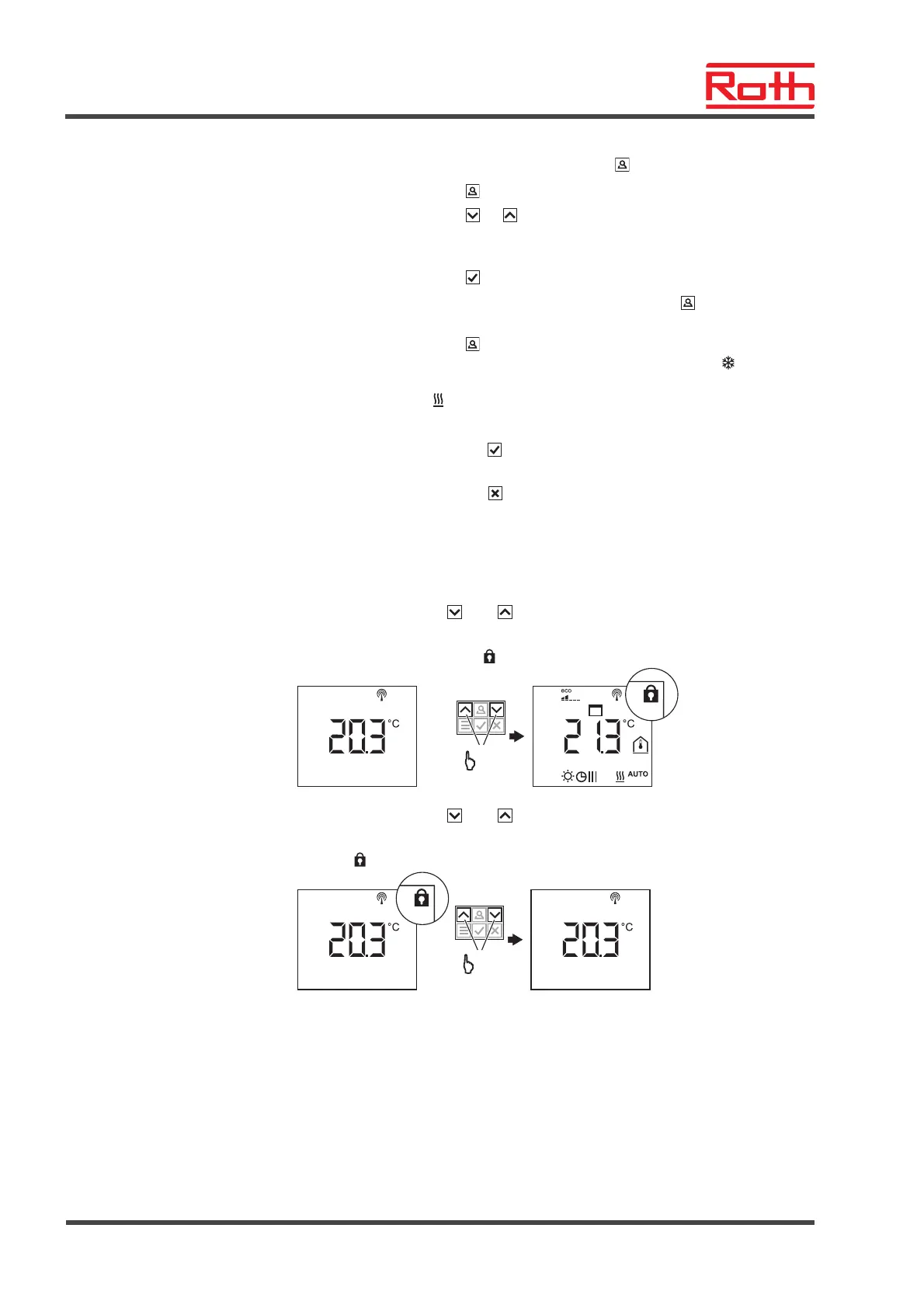
7.9 Lock / unlock operation of wireless room thermostat
Lock operation
► Press sensor buttons
and of the wireless room thermostat simultane-
ously for at least 5 seconds.
► The display shows symbol
. Operation is locked.
+
5 s
B12181a
4
Unlock operation
► Press sensor buttons
and of the wireless room thermostat simultane-
ously for at least 5 seconds.
► Symbol
is no longer shown at the display. Operation is unlocked.
B12181a
+
5 s



 To Next Page